
Self-service
How self return works
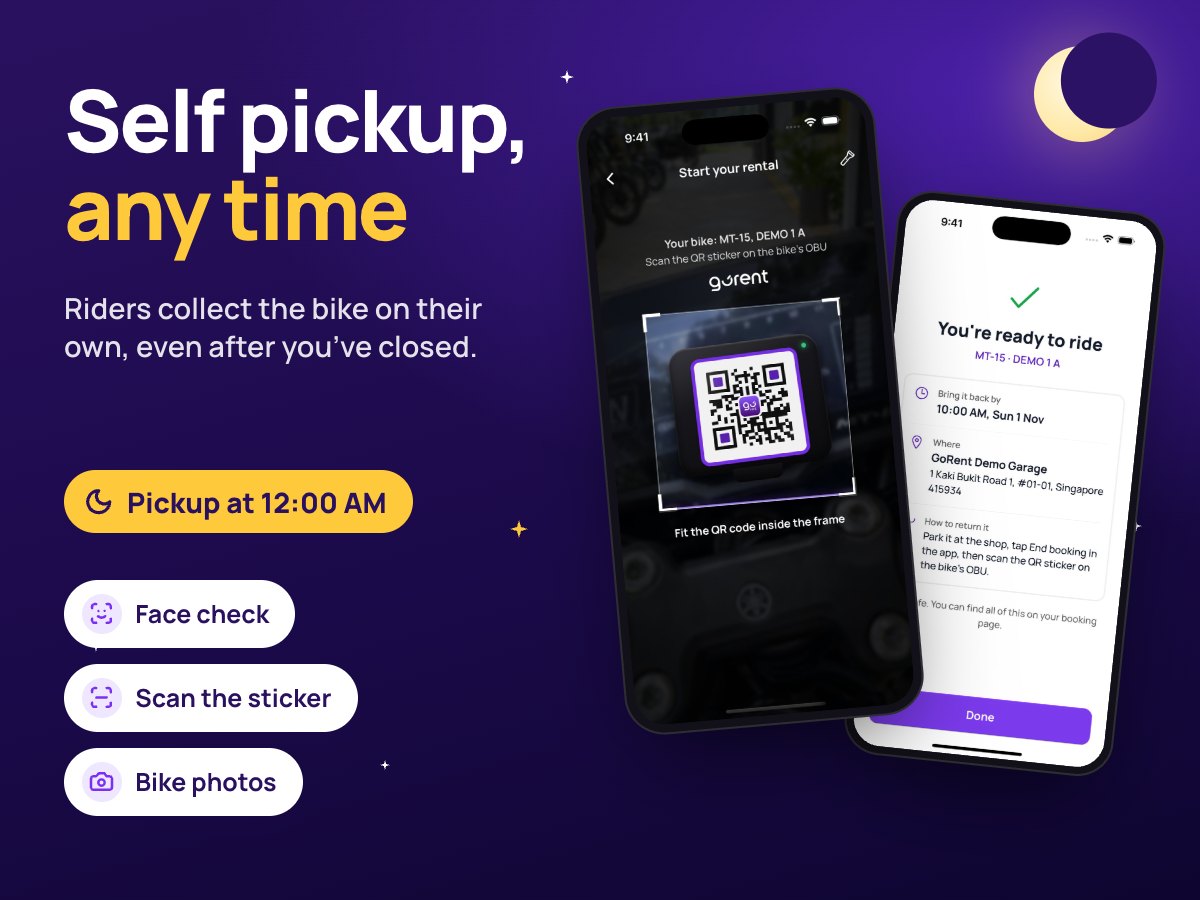
Riders bring the bike back to your shop on their own, at any time. They scan it back in, and you check it over when you’re ready.
How it works:
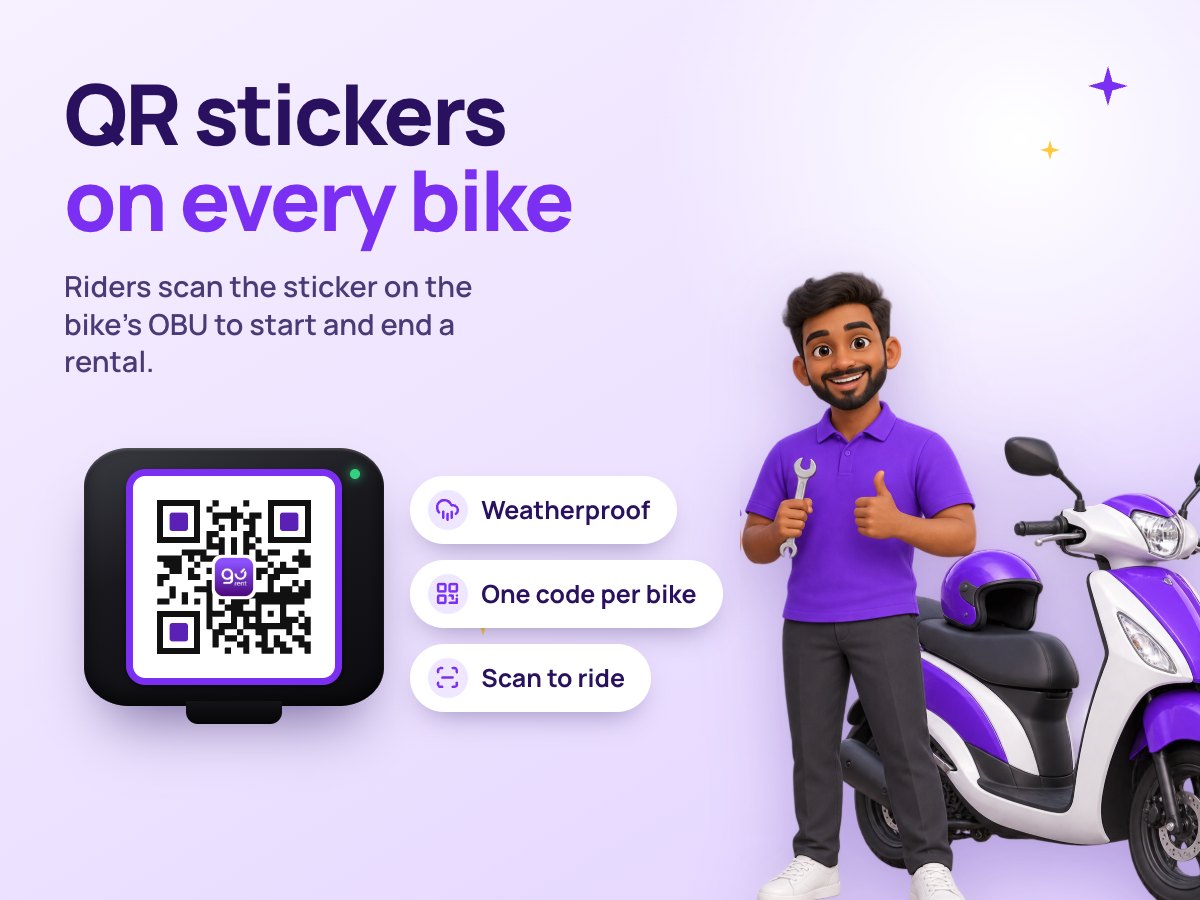
The rider parks at your shop, taps ‘End booking’, ticks a short checklist, scans the QR sticker on the bike’s OBU and photographs the bike. The scan only works within 300 m of your shop. If they’re late, the app charges your late fee by PayNow. You get an alert, and the return waits on your ‘to check’ list.
What your rider does
1. Back at your shop, your rider taps ‘End booking’.
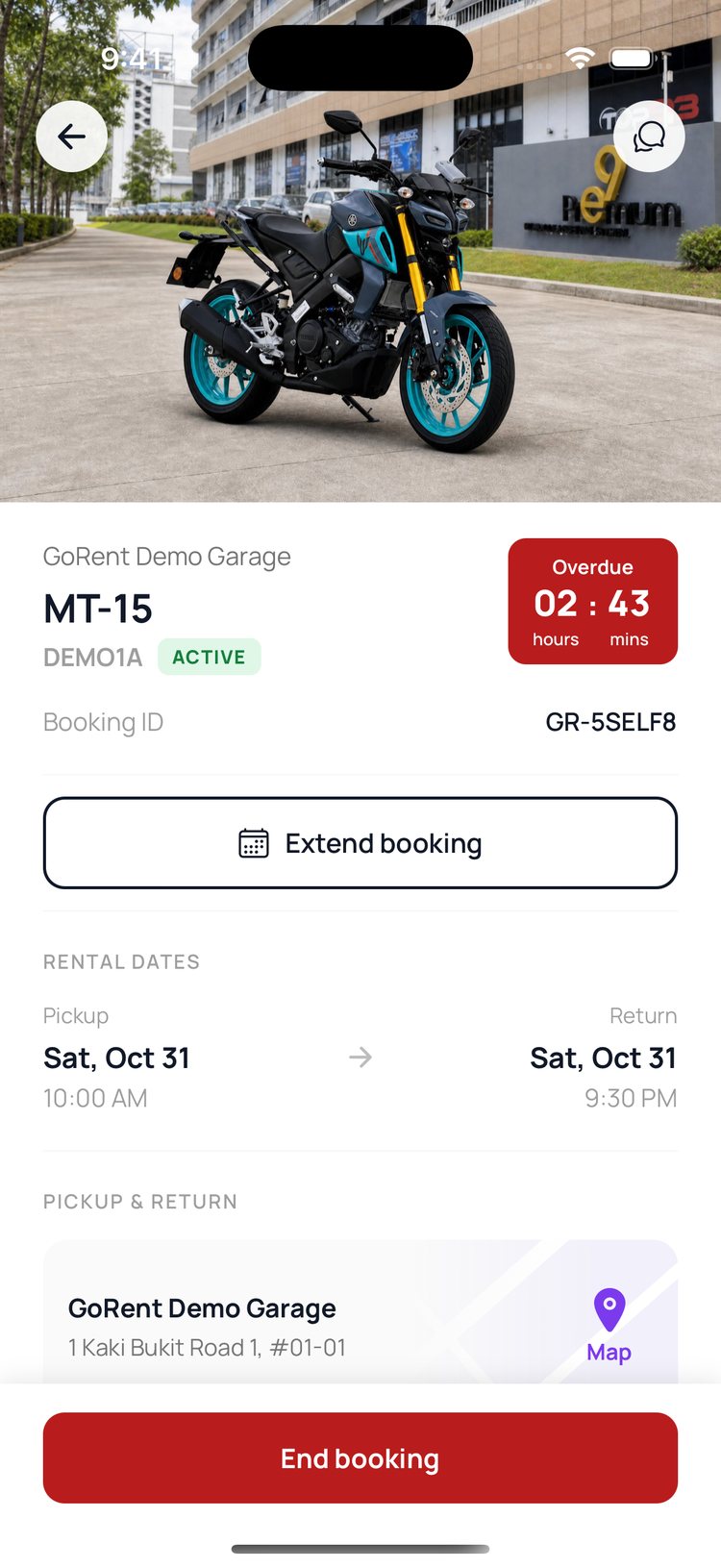
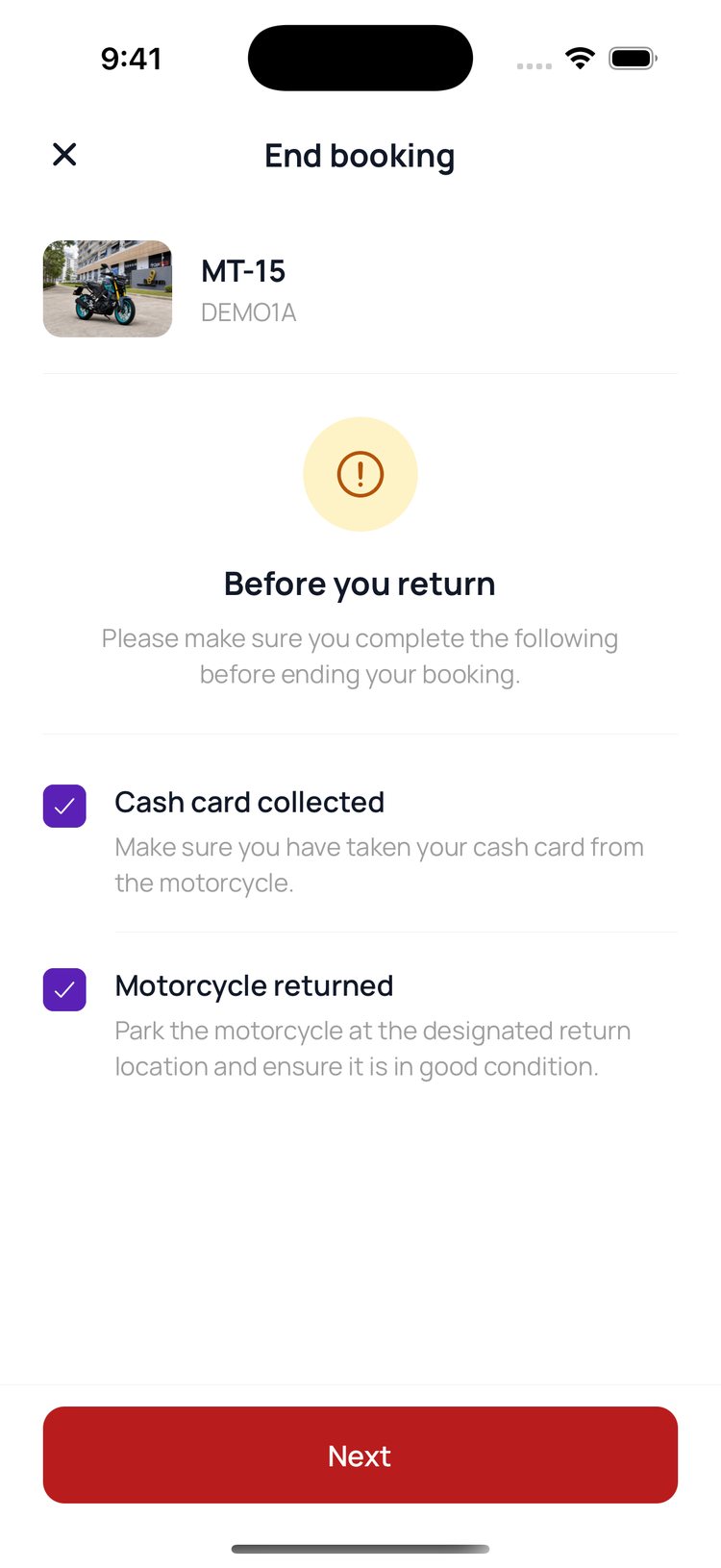
2. They confirm they’ve taken their cash card and parked the bike, then tap ‘Next’.
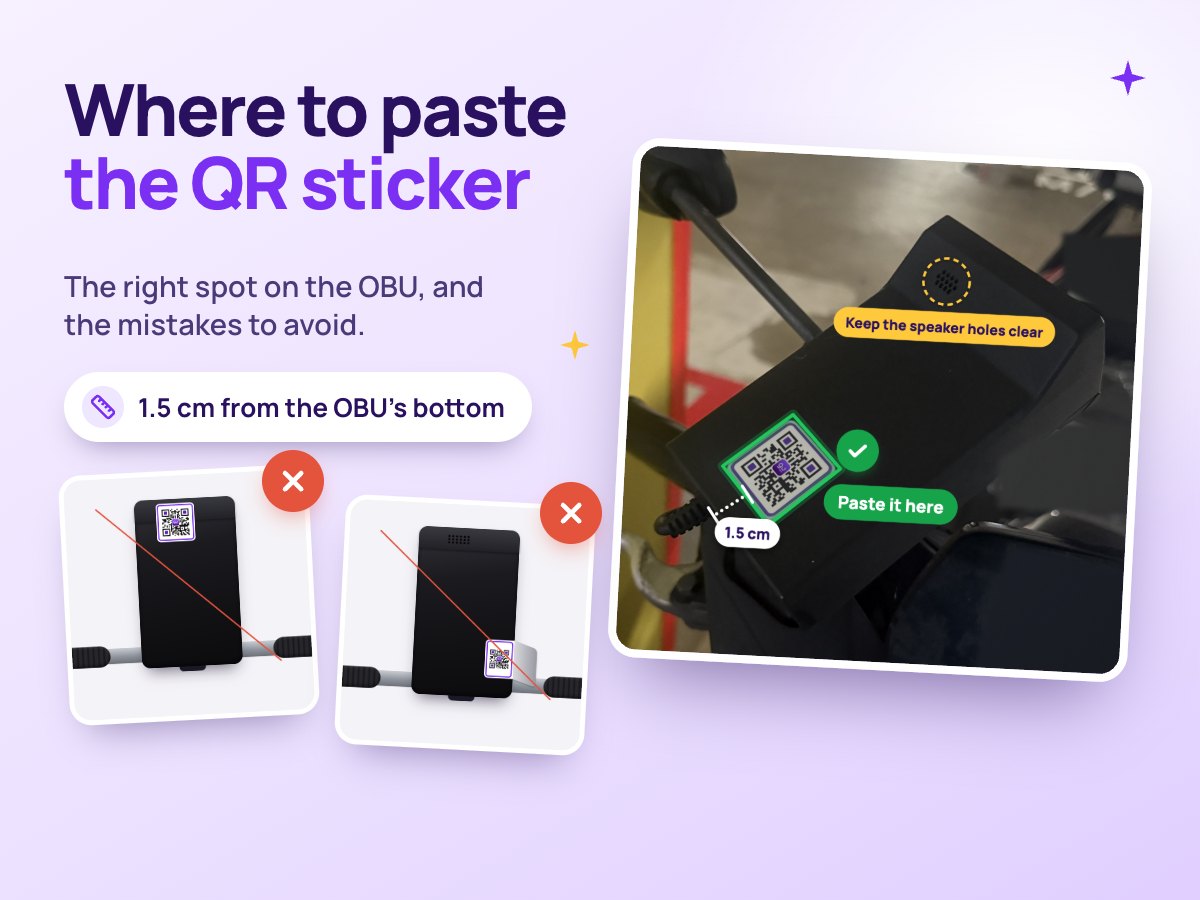
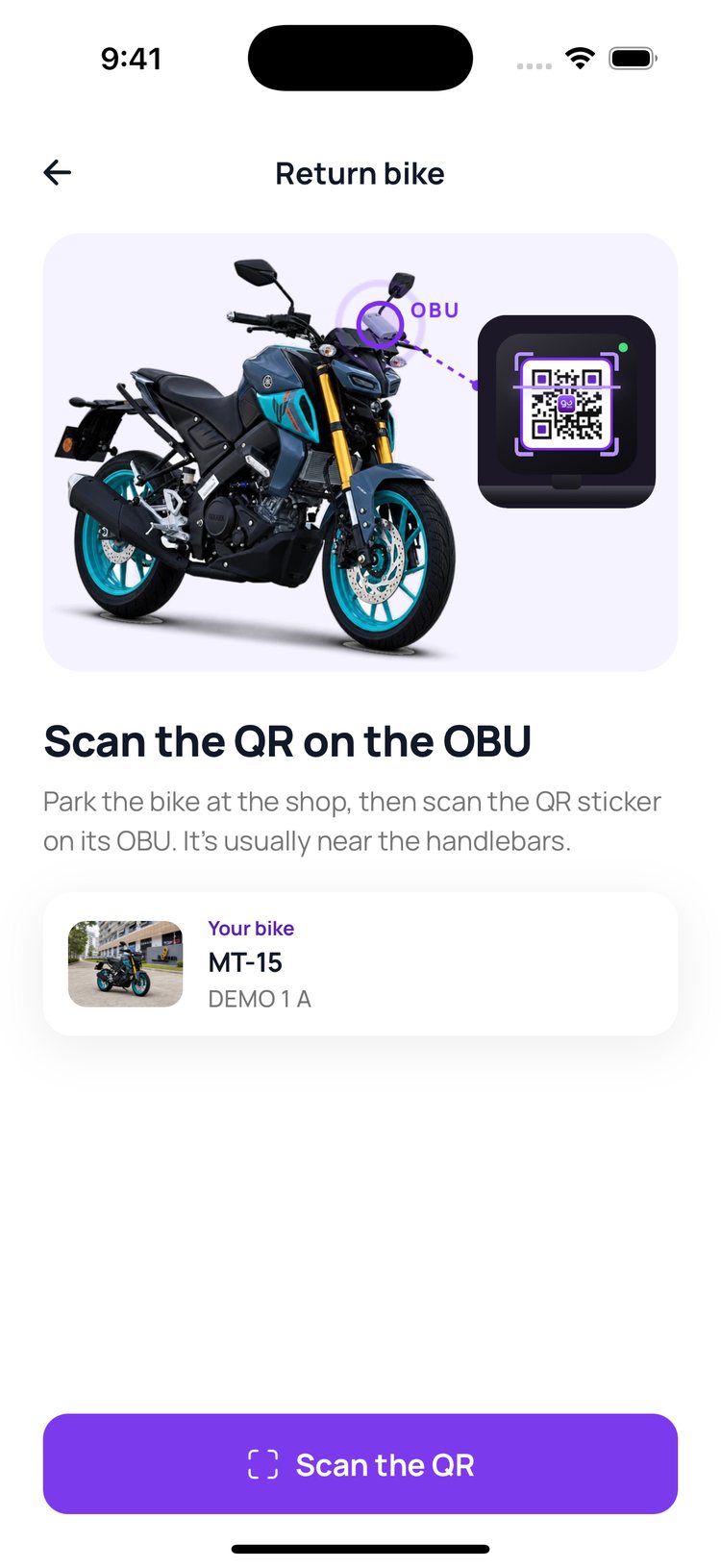
3. The app shows where the sticker is. They tap ‘Scan the QR’.
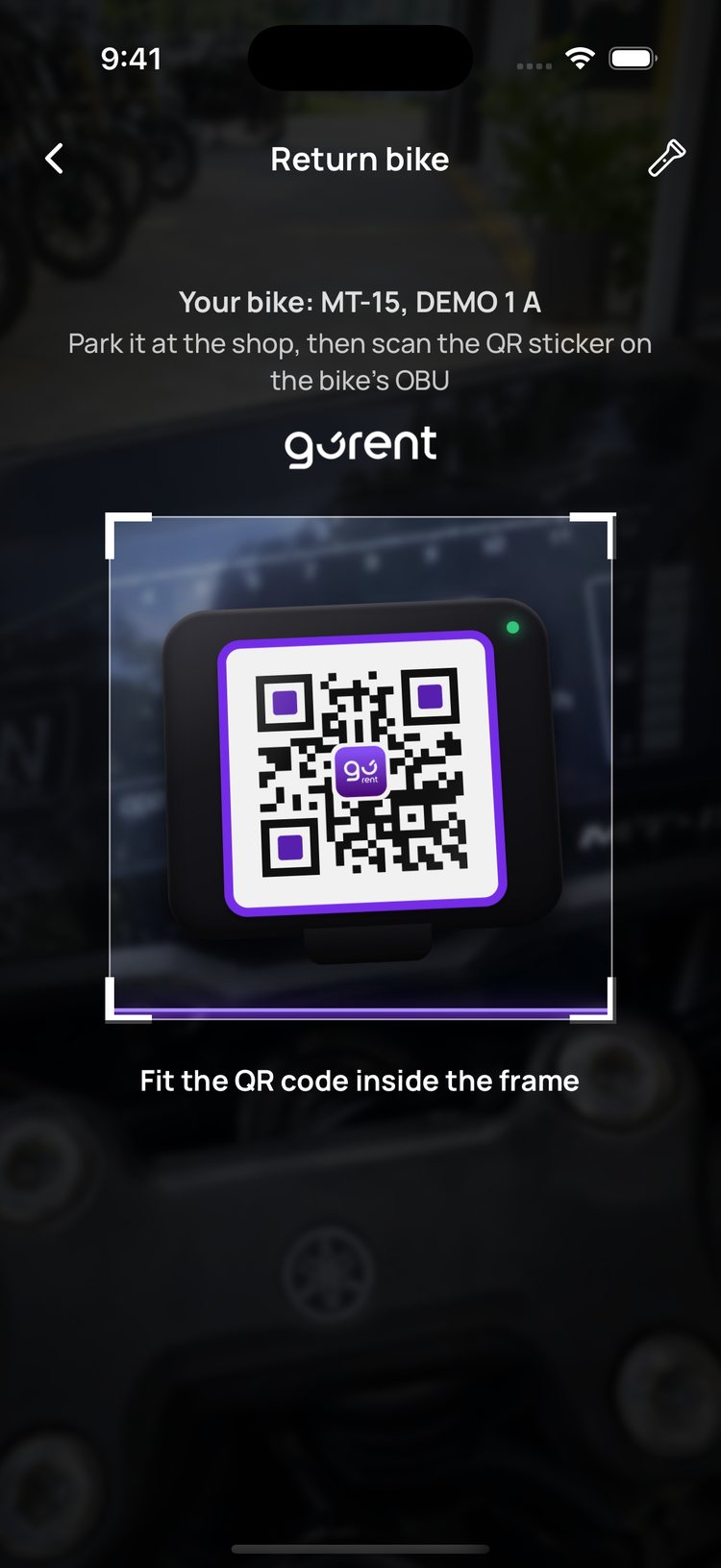
4. They scan the sticker. This only works at your shop.
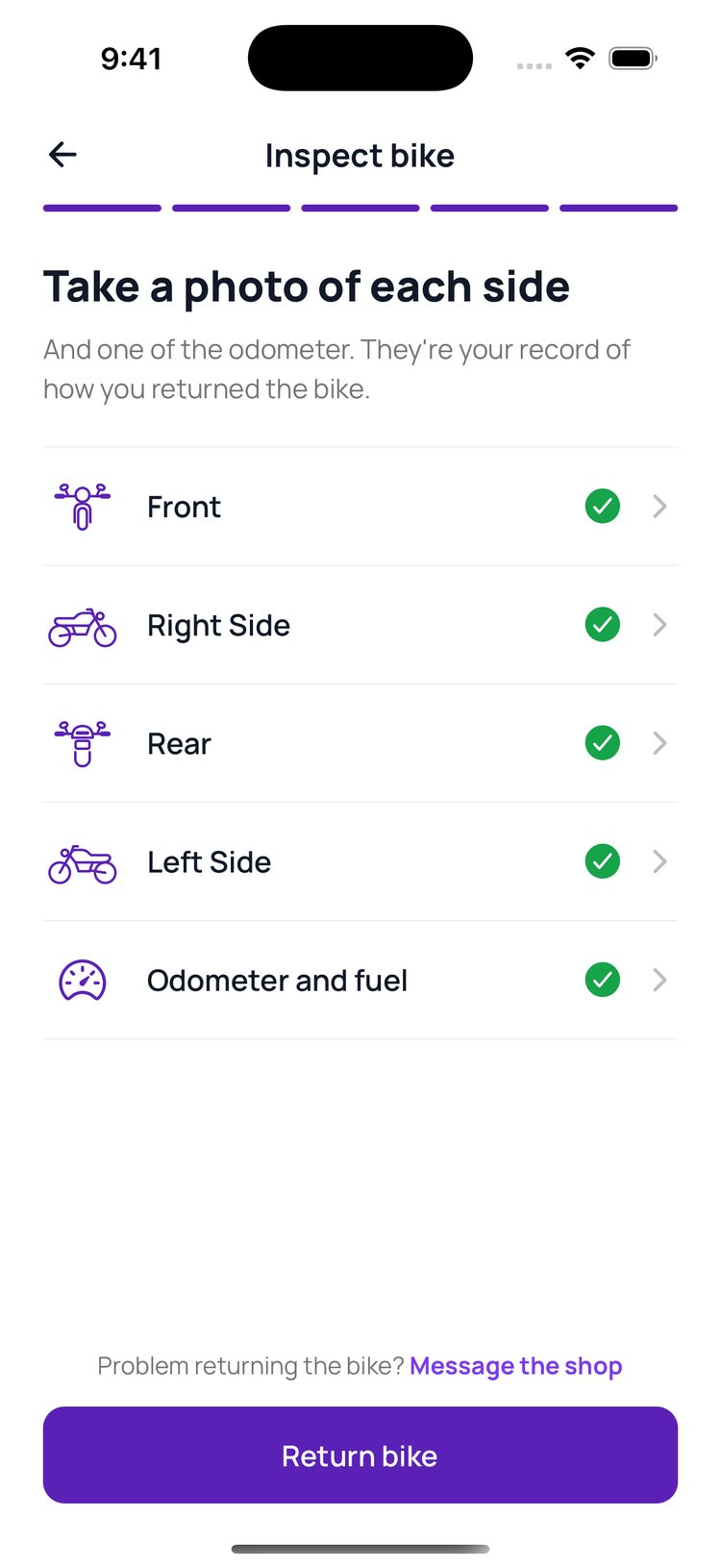
5. They photograph the bike and the odometer, then tap ‘Return bike’.
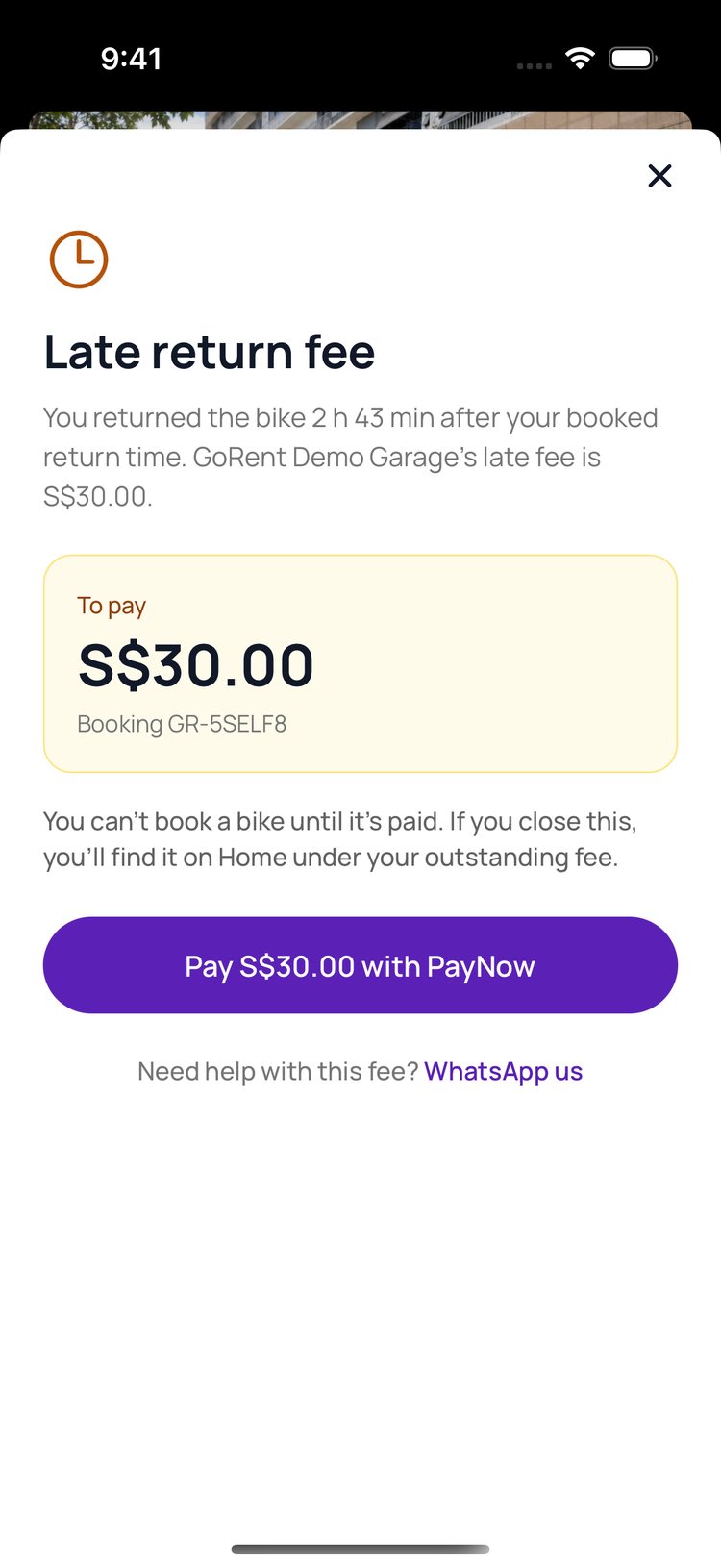
6. Back late? The app shows your late fee, and they pay it by PayNow.

What you do in GoRent Partner
1. You get a ‘Bike Returned’ alert, with any late fee.
Read the guide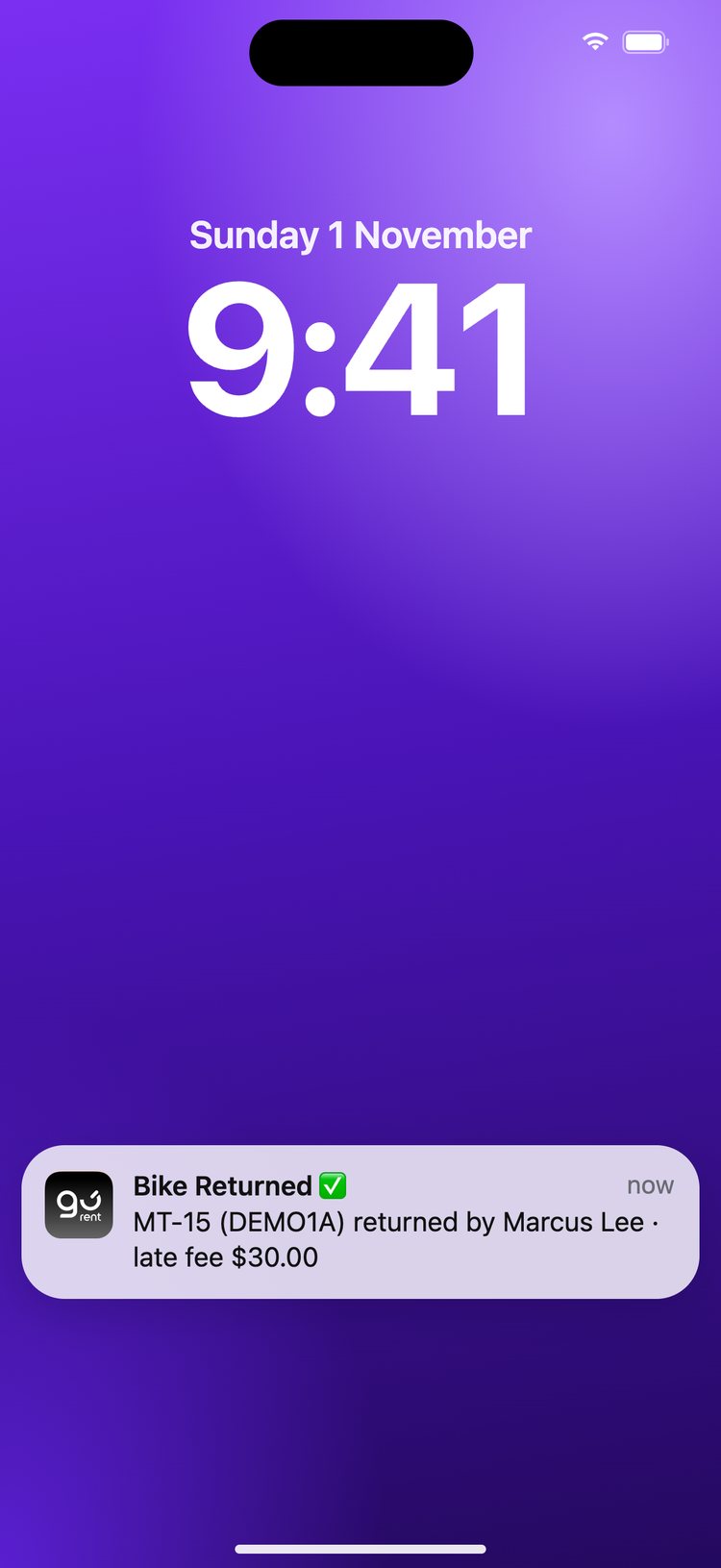
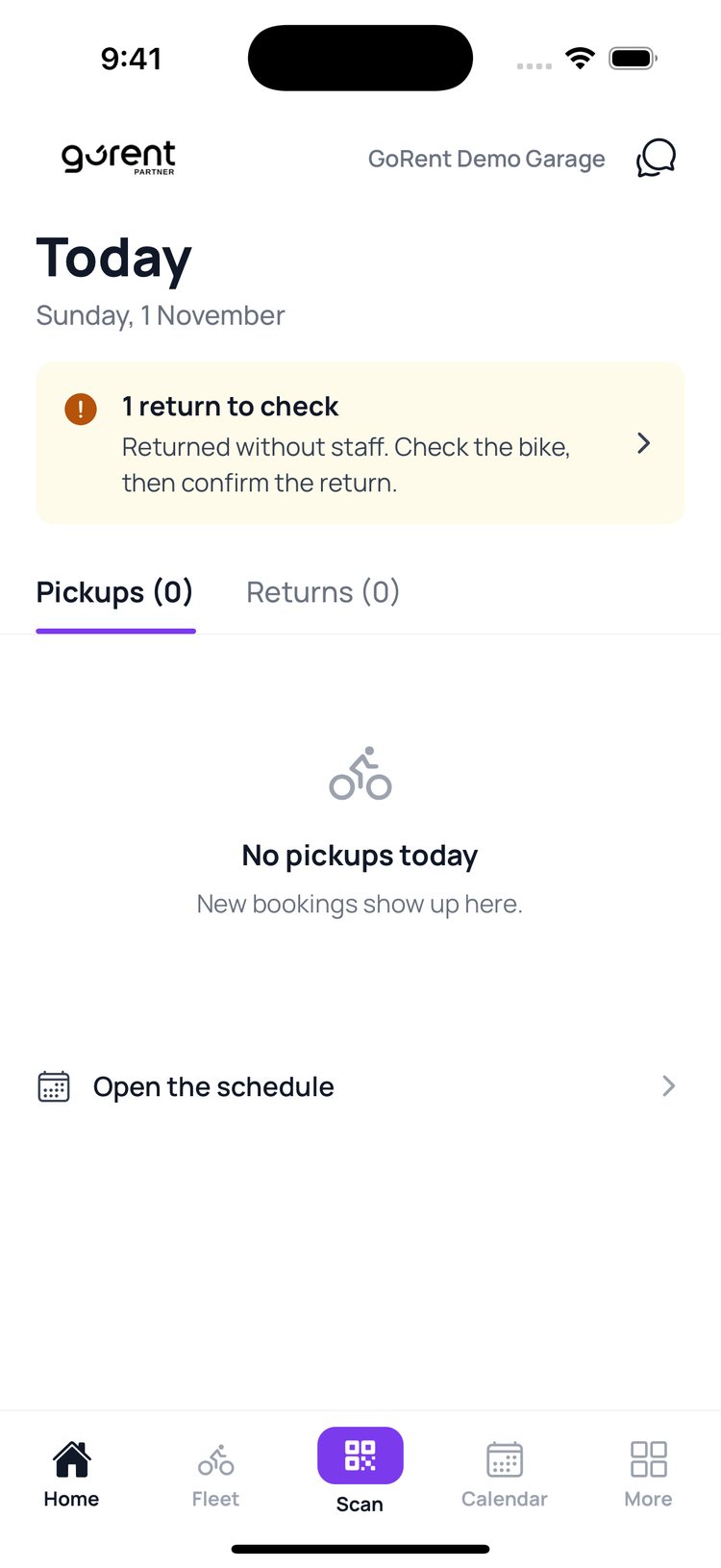
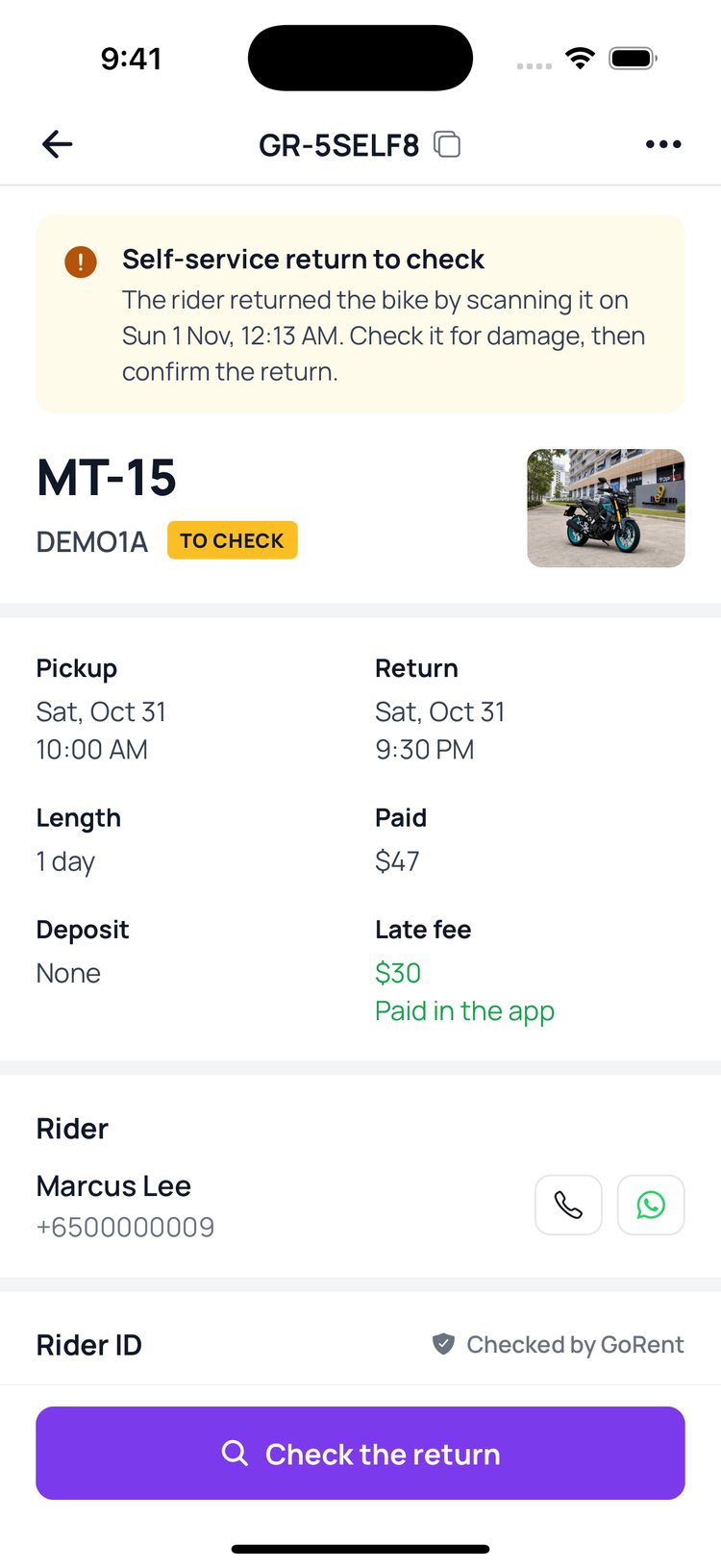
2. On ‘Home’, tap the yellow ‘return to check’ banner.
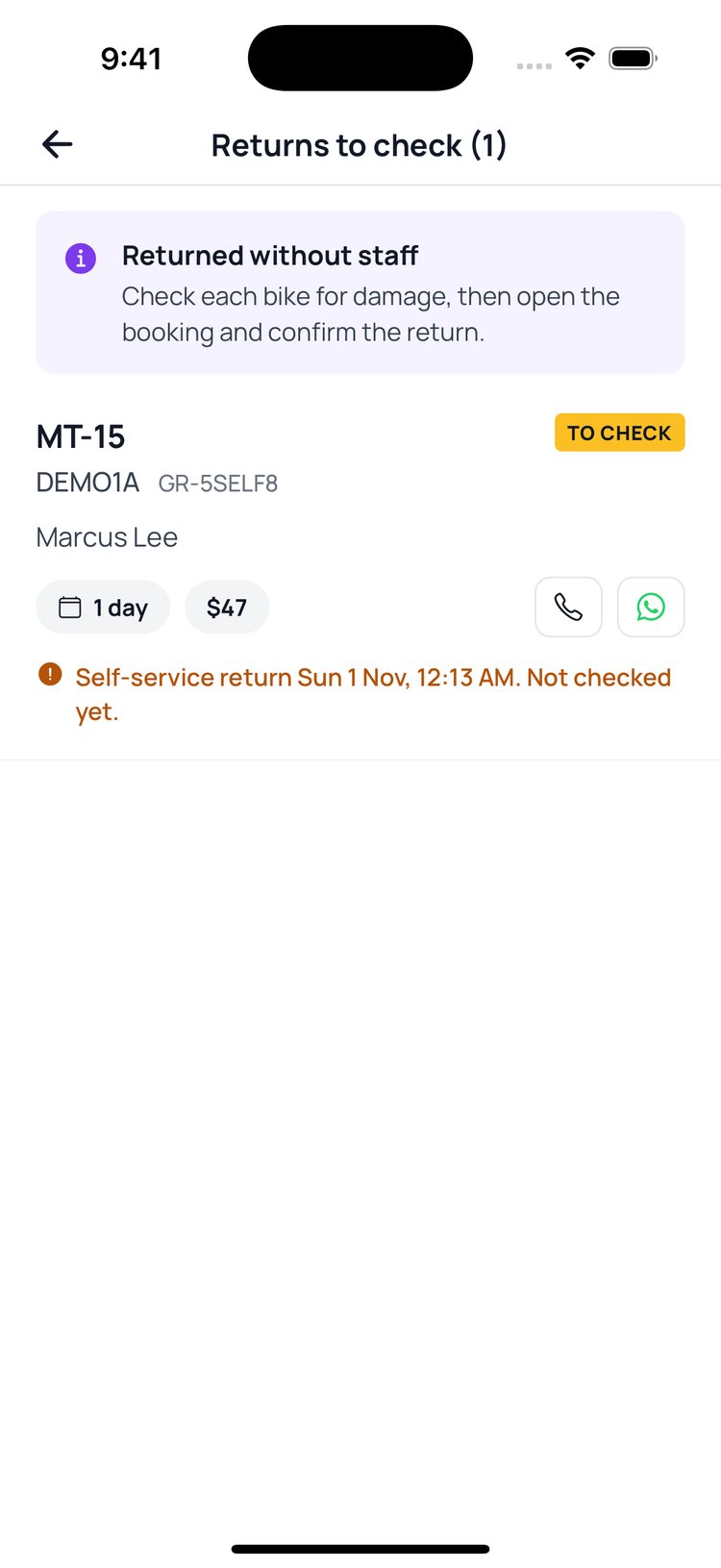
3. Tap the bike that came back.
4. Look the bike over, then tap ‘Check the return’. The late fee shows here too.
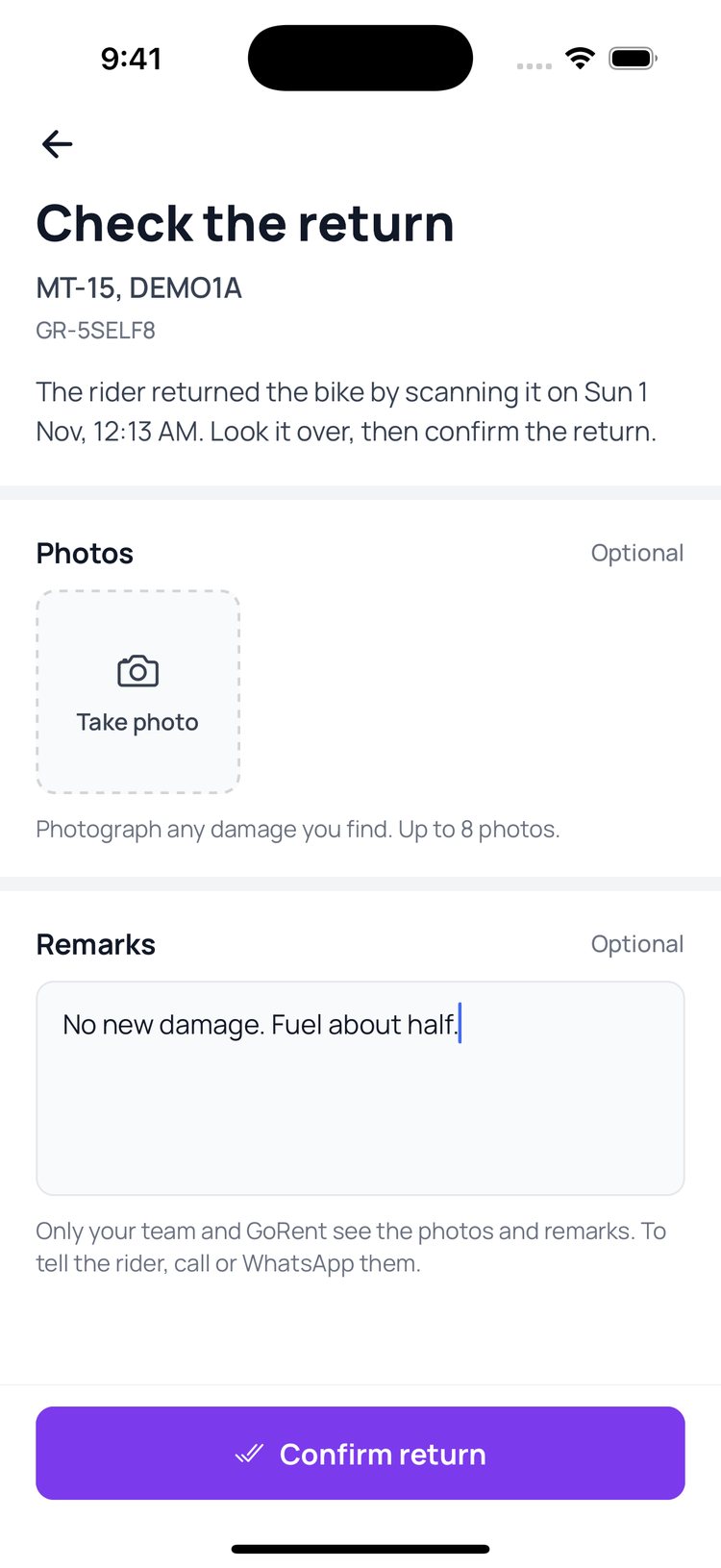
5. Add photos of any damage and a note if you like, then tap ‘Confirm return’.
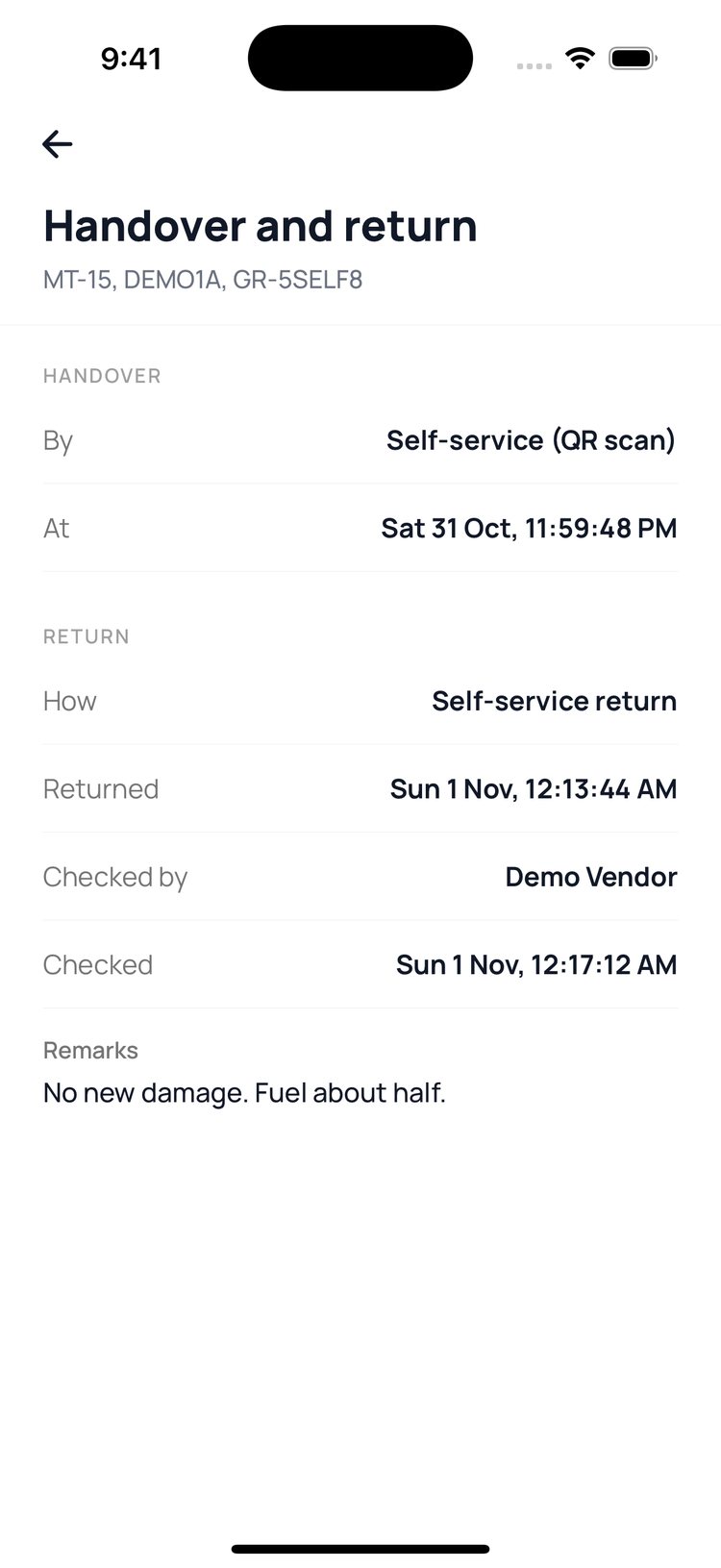
6. Done. ‘Handover and return’ shows when it came back and who checked it.
The bike can be booked again as soon as the rider returns it. The ‘to check’ list is a reminder, so check the bike before its next pickup.
Still stuck? Message us on WhatsApp.
Questions
Can the rider leave the bike somewhere else?
No. The scan only works within 300 m of your shop, so the bike has to be back with you.
How is the late fee worked out?
From your shop’s late return policy: a grace period, then an hourly fee, up to a daily cap. To change it, message us on WhatsApp.
Who gets the late fee?
Your shop does, less GoRent’s usual commission. There’s no booking fee on it.
What if the rider doesn’t pay it?
The fee stays owed, and the rider can’t book any bike on GoRent until it’s paid. The booking shows it as owed.
I found a scratch or a dent
Add photos and a note on ‘Check the return’ before you confirm. Only your team and GoRent see them. To tell the rider, call or WhatsApp them from the booking.