Booking alerts

Partner app
Booking alerts and who gets them
Choose which booking alerts reach your phone, and check that everyone on your team gets the ones they need.
How it works:
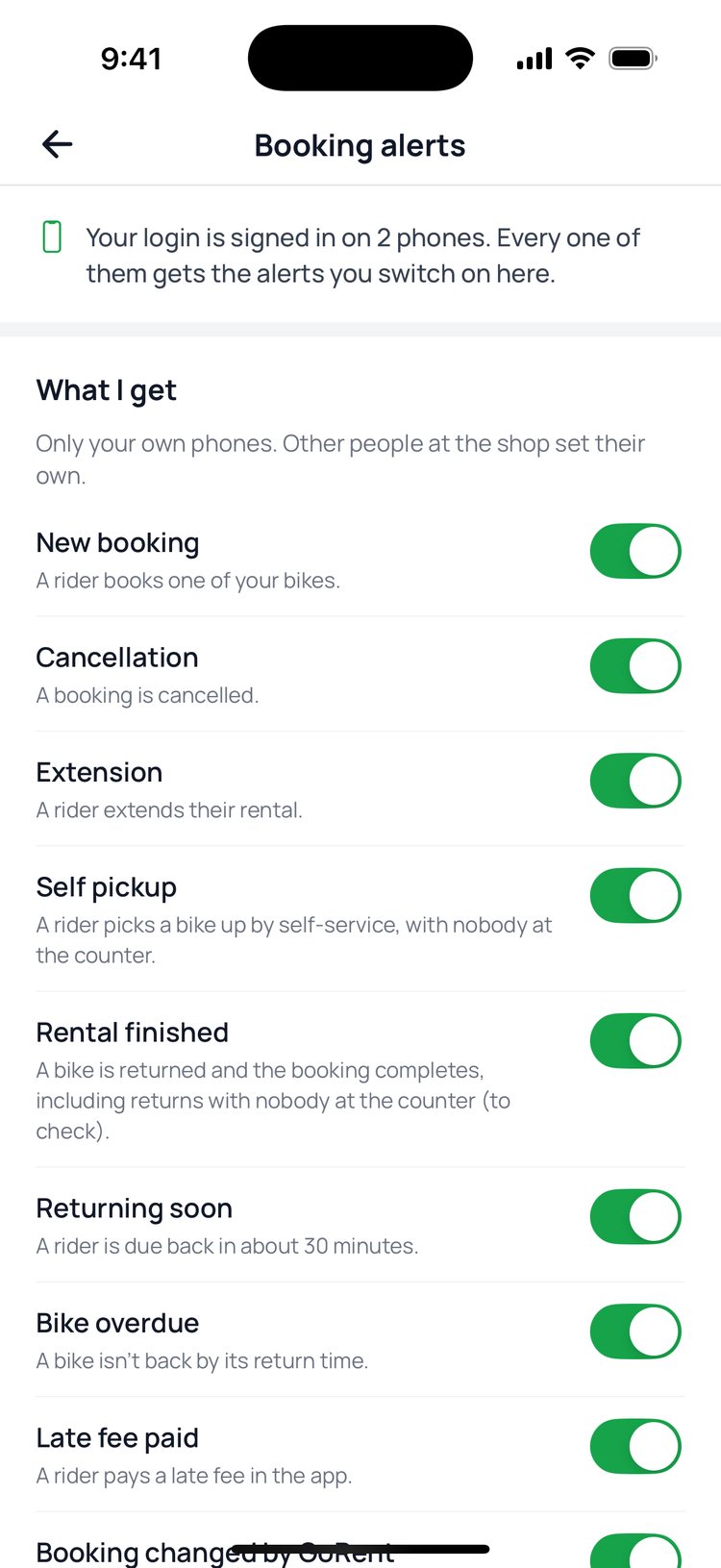
Each person chooses their own alerts under ‘What I get’. The owner also has ‘What the shop sends’: switching an alert off there stops it for everyone at the shop. ‘Who gets alerts’ shows each person and whether an alert would reach their phone right now.
1. Tap ‘More’, then ‘Booking alerts’.
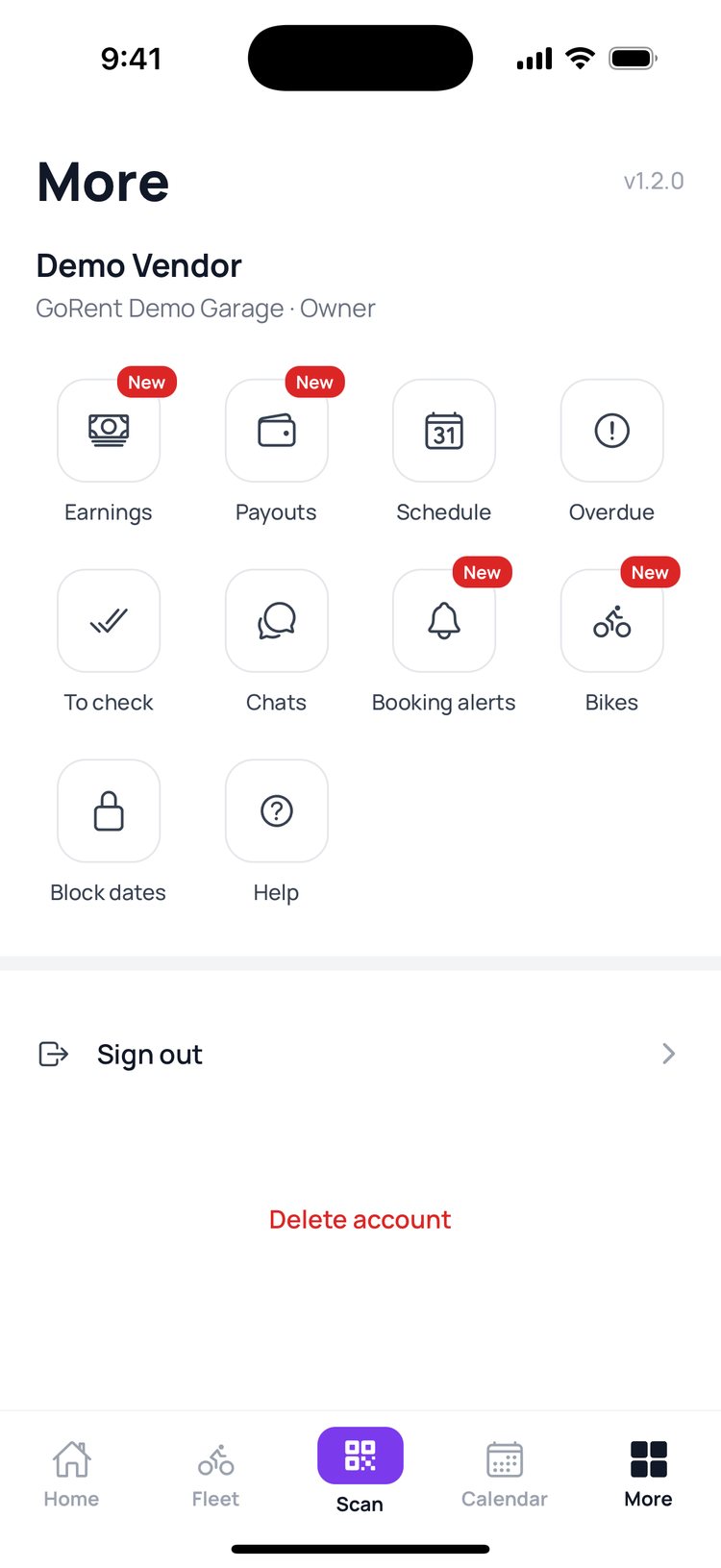
2. Under ‘What I get’, switch each alert on or off for your own phones.
3. Owners: ‘What the shop sends’ turns an alert off for everyone at the shop.
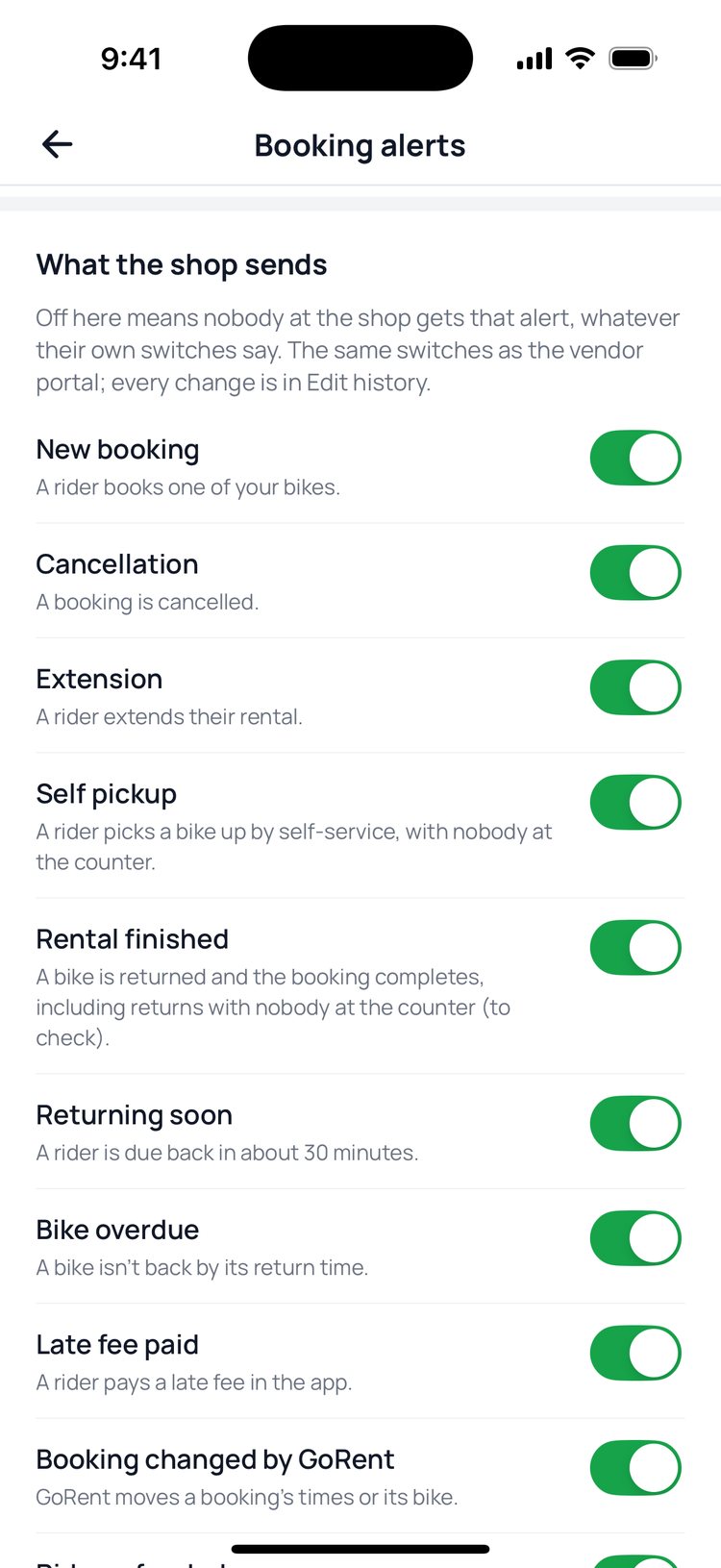
4. ‘Who gets alerts’ shows each person, their phones, and whether alerts reach them.
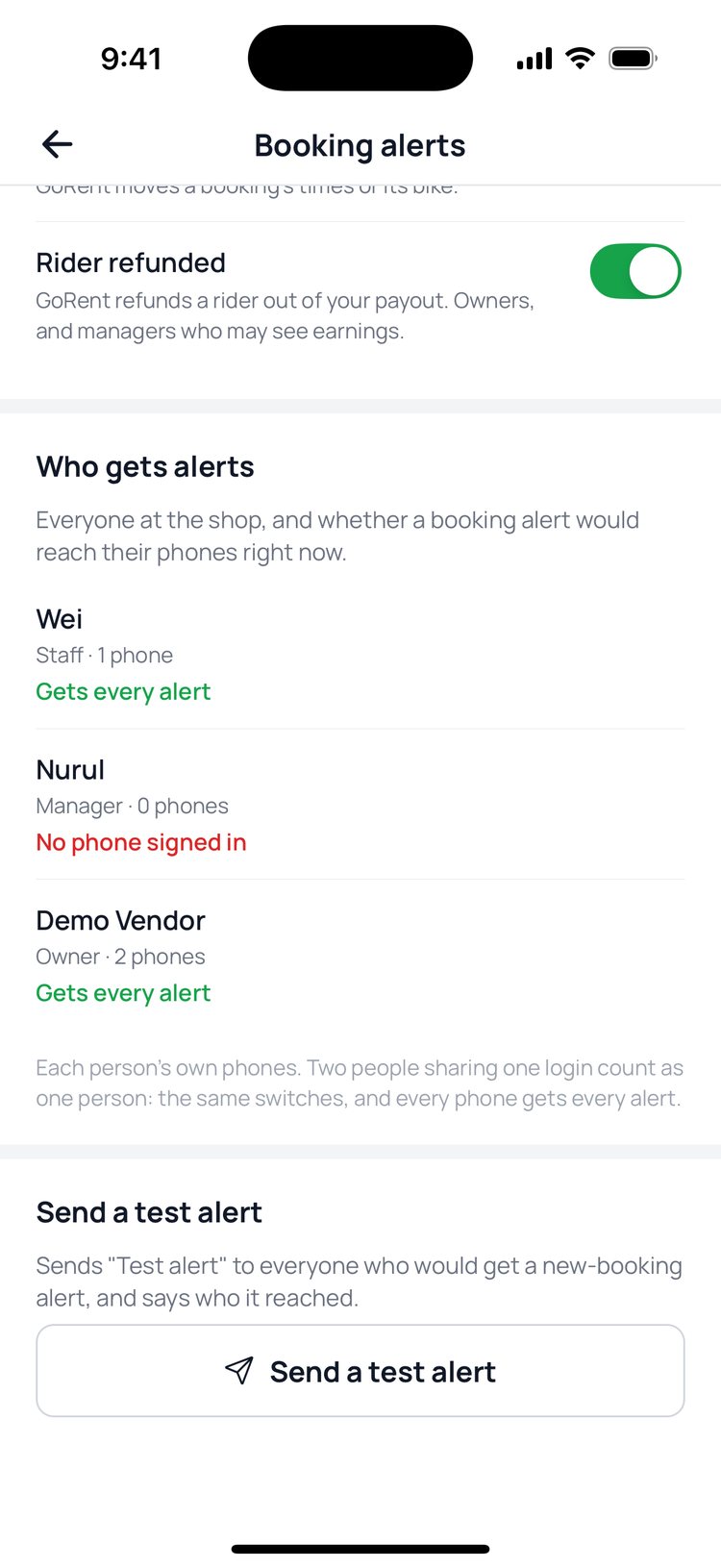
5. Tap ‘Send a test alert’ to check it reaches everyone.

New in 1.2.0: ‘Returning soon’ lets you know about 30 minutes before a rider is due back, so the counter is ready.
Still stuck? Message us on WhatsApp.
Questions
Someone shows ‘No phone signed in’
They need to sign in to GoRent Partner on their own phone and allow notifications when asked.
An alert is on but I don’t get it
Check that notifications for GoRent Partner are allowed in your phone’s settings, and that the owner hasn’t switched that alert off under ‘What the shop sends’.
Why don’t my staff get ‘Rider refunded’?
That alert is about money, so it only goes to the owner and managers who may see earnings.
Are these the same switches as the vendor portal?
The shop’s switches are the same as the vendor portal’s, and every change shows in its Edit history.