The booking page

Partner app
Find your way around the booking page
Every booking has one page with everything you need: the bike, the dates, what the rider paid, how to reach them and who they are.
How it works:
Open any booking from Home or the Calendar. The rider’s ID comes from Singpass, so the name, licence and demerit points are their official details, not what they typed in. To keep those details safe, the page can’t be screenshotted or screen-recorded.
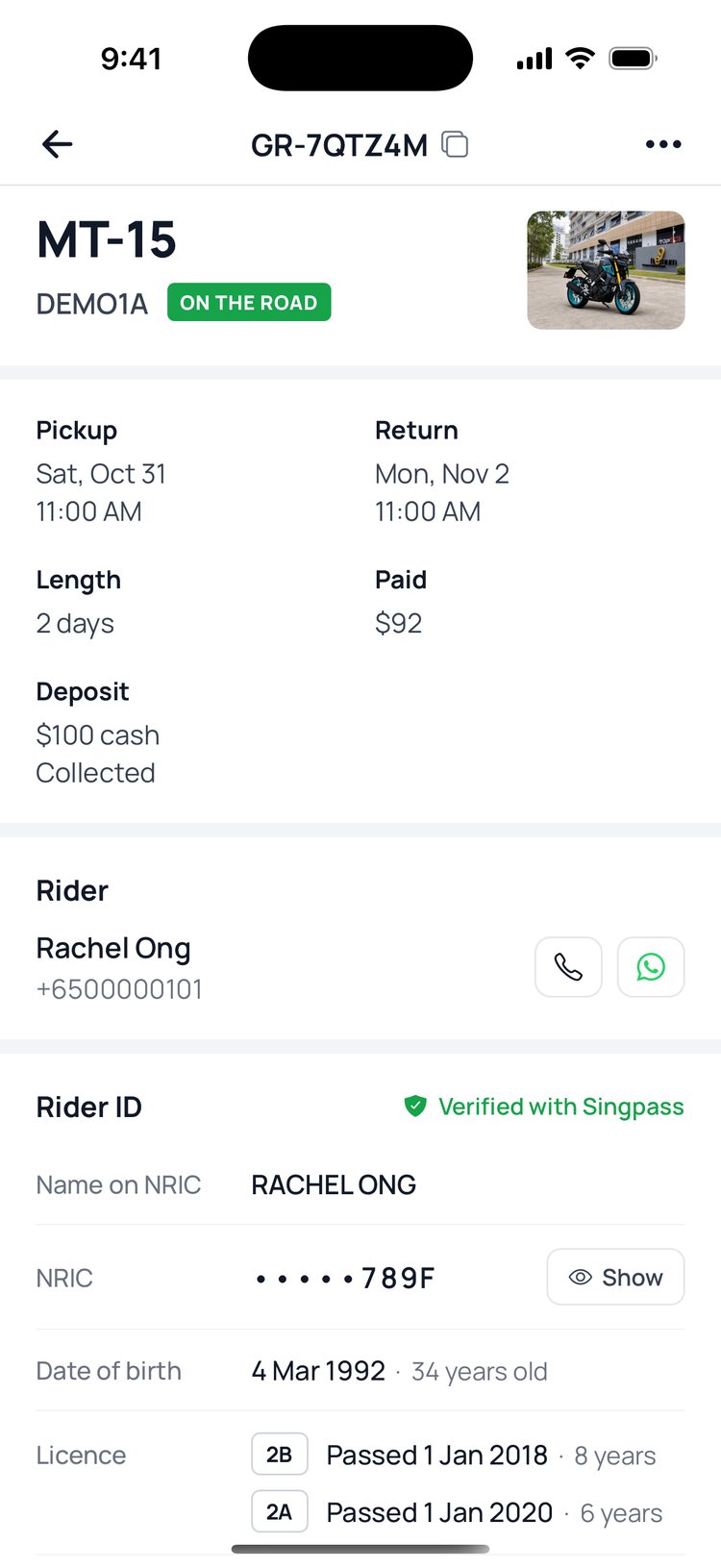
1. On ‘Home’, tap any booking to open it.
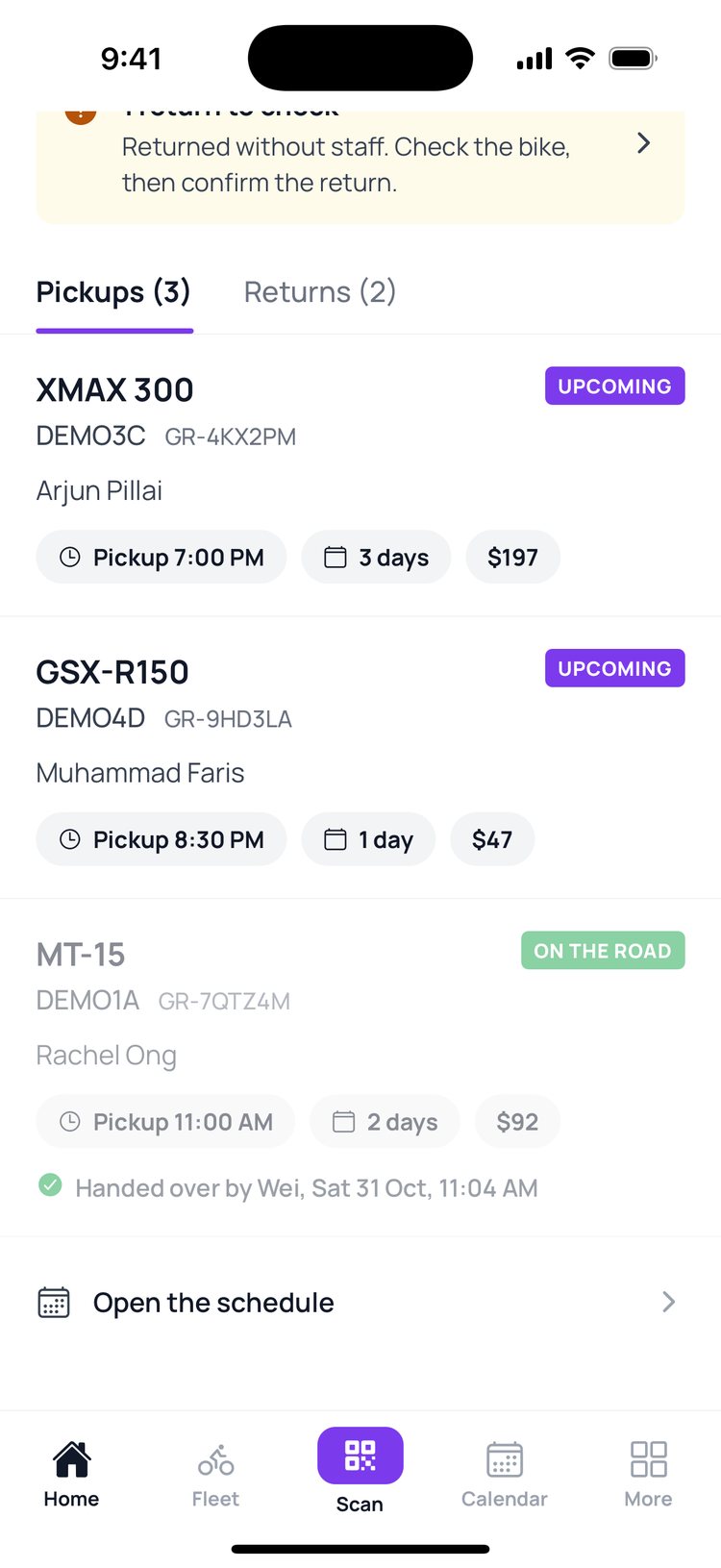
2. The top shows the bike, the dates, what the rider paid and the deposit.
3. Tap the phone or WhatsApp button to reach the rider.
4. ‘Rider ID’ shows their name, licence and demerit points. Tap ‘Show’ to see the full NRIC.
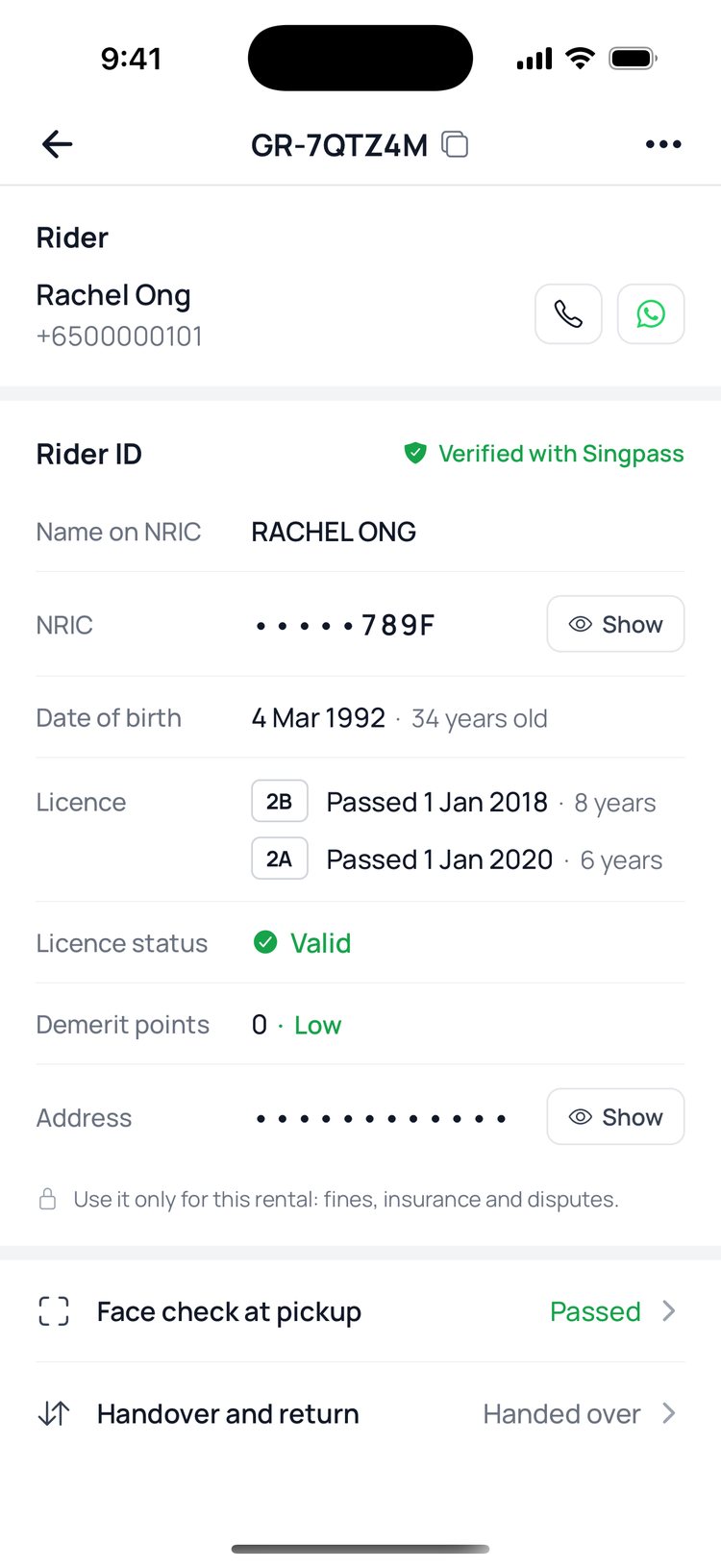
5. Tap ‘Face check at pickup’ to see how the rider’s selfie check went.

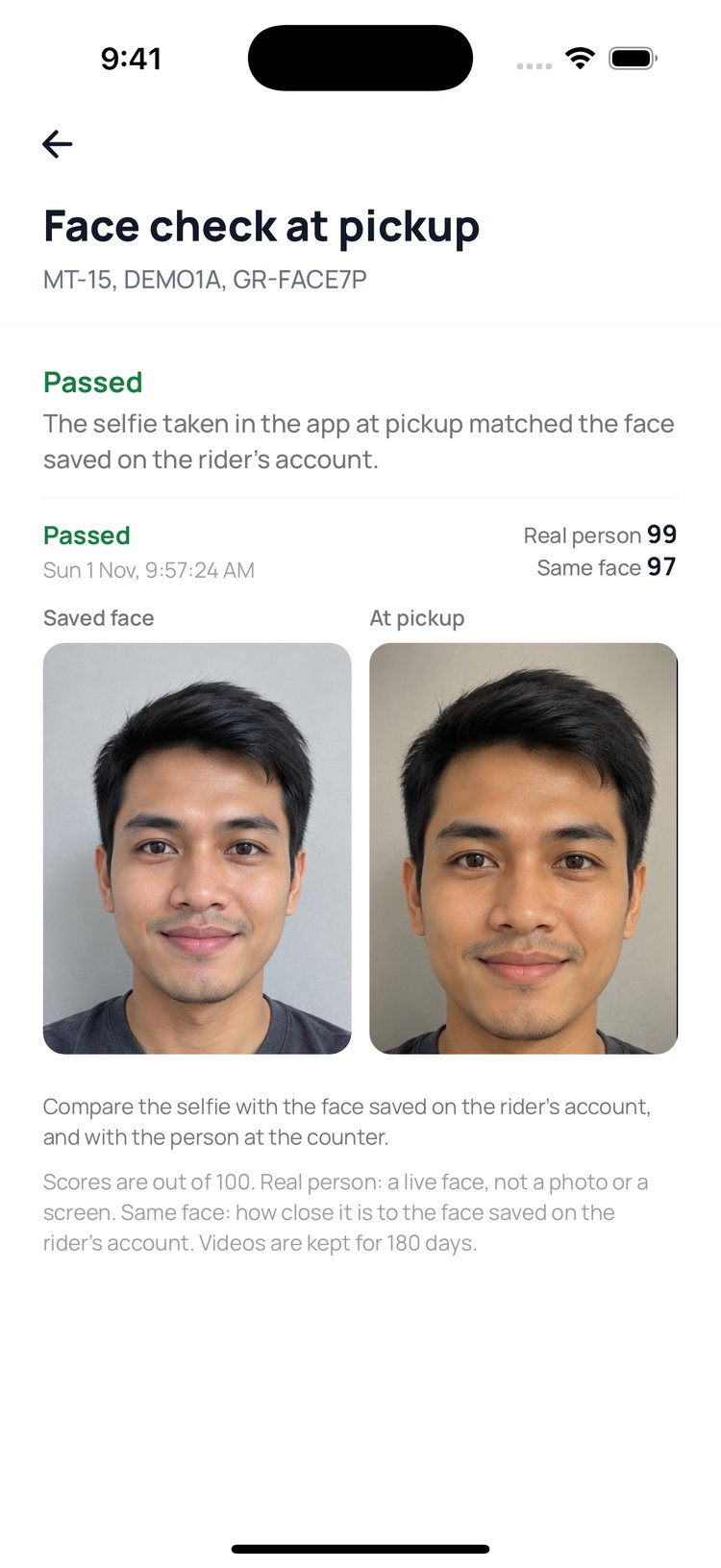
Face check at pickup
1. Passed: the selfie at pickup matched the face saved on the rider’s account. Both are side by side.
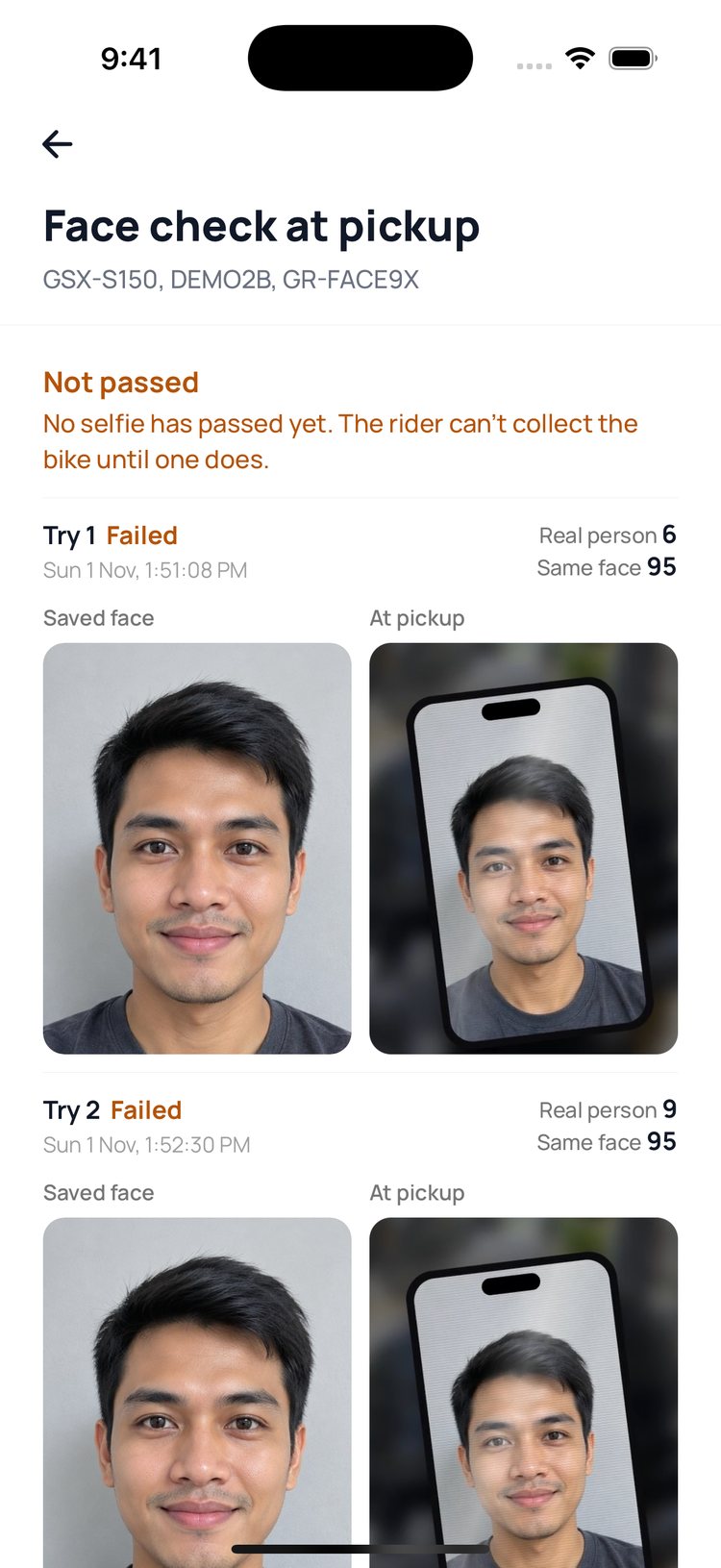
2. Not passed: here someone held up a photo, so ‘Real person’ is low. The bike can’t be collected.
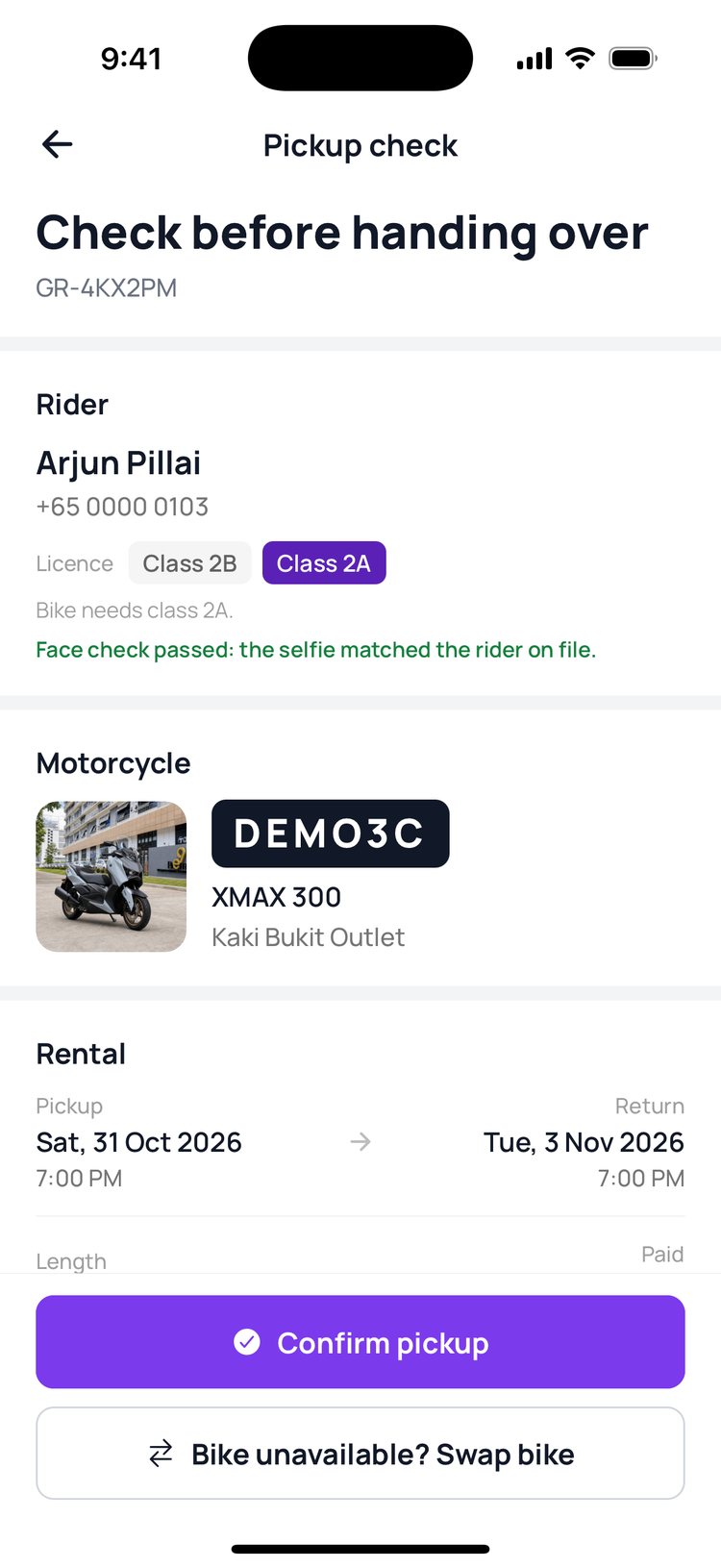
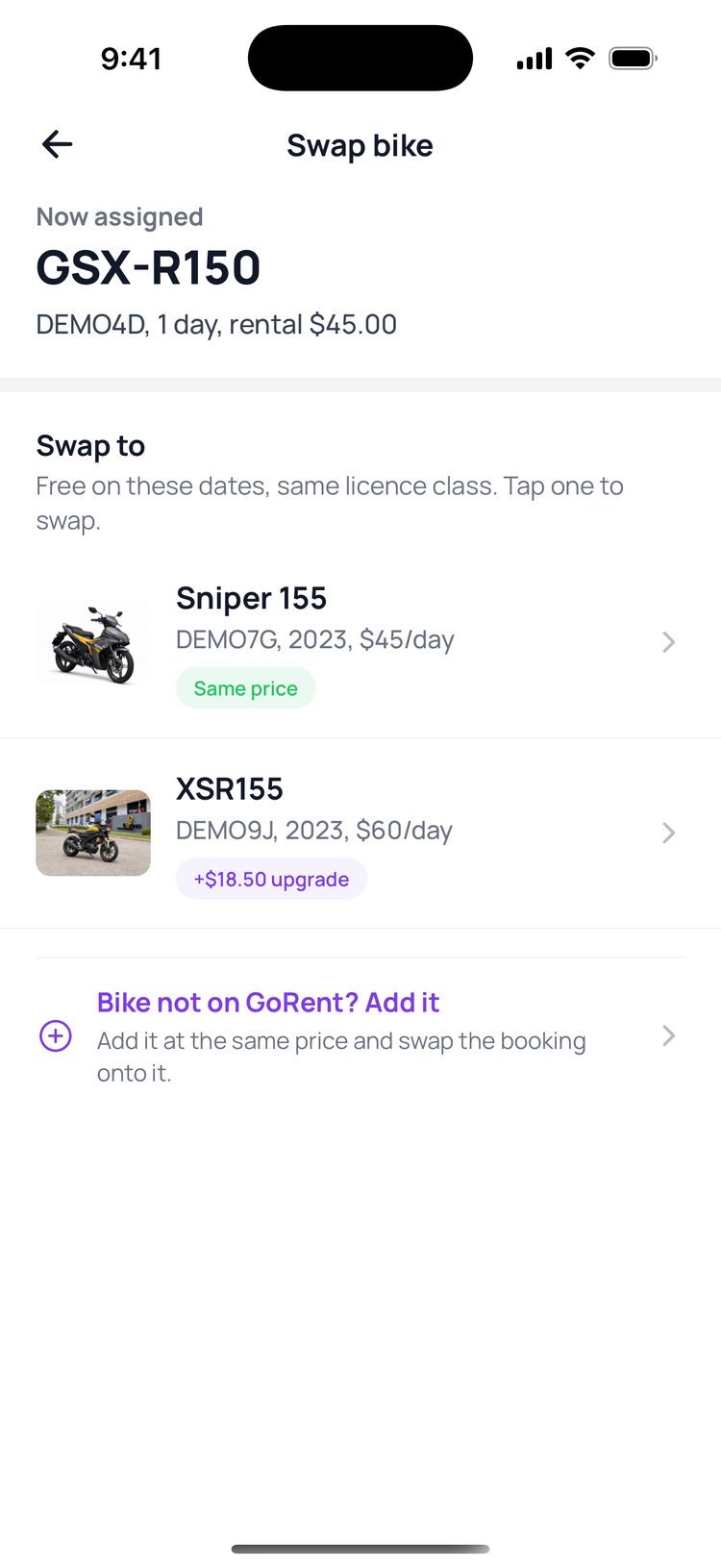
The ⋯ button at the top right has more: call or WhatsApp the rider, and swap the bike before pickup.
Still stuck? Message us on WhatsApp.
Questions
Why do my screenshots of this page come out black?
The booking page shows the rider’s ID, so GoRent Partner blocks screenshots and screen recordings while it’s open. This keeps riders’ personal details safe.
What can I use the rider’s ID for?
Only for this rental: fines, insurance and disputes. Don’t copy it or keep it anywhere else.
What does ‘Verified with Singpass’ mean?
The rider’s name, date of birth and licence came straight from Singpass, so they’re official records.
Where’s the rider’s address?
It’s hidden until you need it. Tap ‘Show’ next to Address in the Rider ID section.
What happens when the face check doesn’t pass?
The rider can’t collect the bike until a selfie passes, at your counter or at a self-service shop. After 3 failed tries they can try again in 15 minutes, and every try shows on the booking.
What do the two scores mean?
Both are out of 100. ‘Real person’ is how sure the check is that it saw a live face, not a photo, a screen or a mask. ‘Same face’ is how close the selfie is to the face saved on the rider’s account.