Check bikes in

Partner app
Check a bike back in
When a rider brings a bike back, scan the return QR in their app, look the bike over and confirm the return. Bikes left after hours, with nobody at the counter, are checked the same way when you’re back.
How it works:
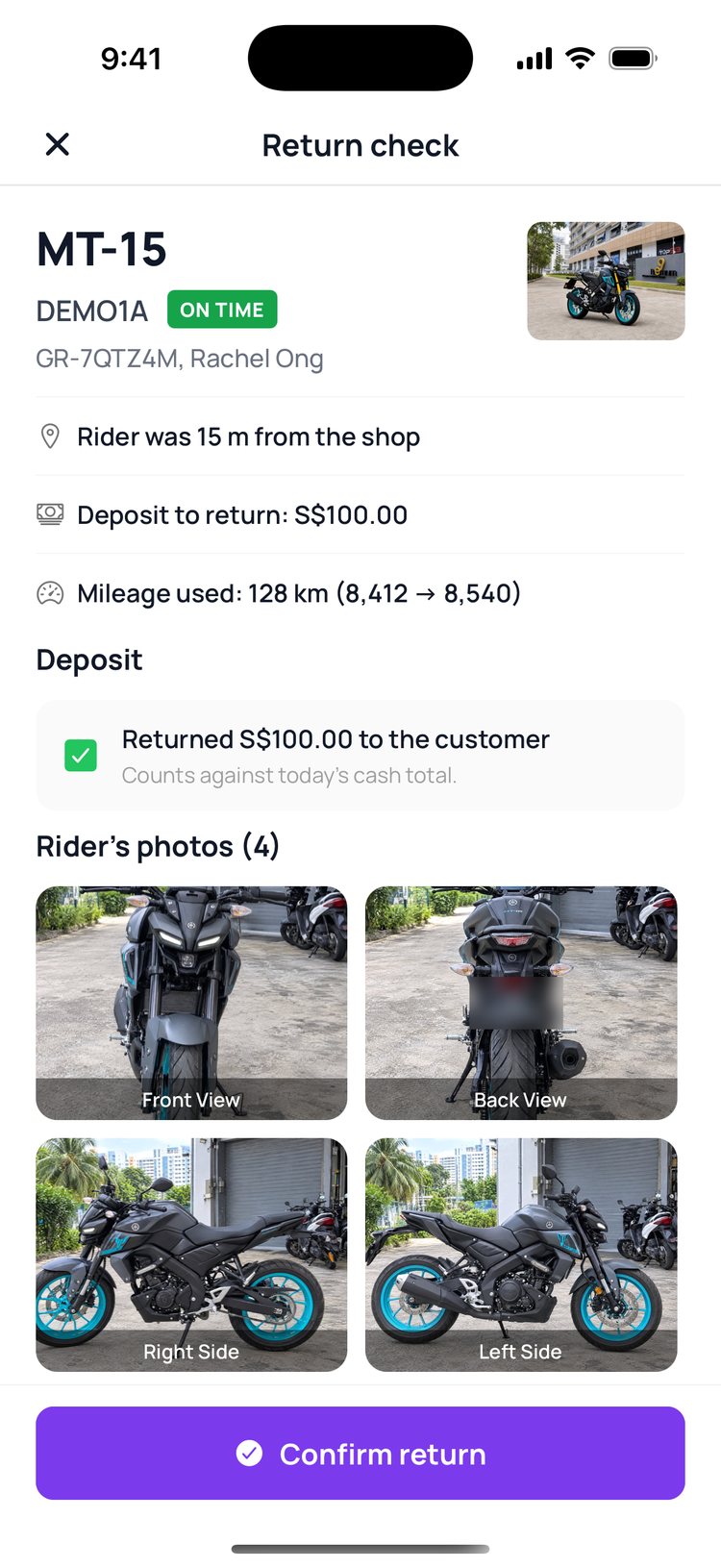
Before the return QR appears, the rider goes through a short checklist and photographs the odometer and the bike. Scanning the code shows you their photos, the mileage and the deposit to hand back. Confirming the return ends the rental and tells the rider.
At your counter
1. On ‘Home’, tap ‘Returns’ to see who’s due back today.
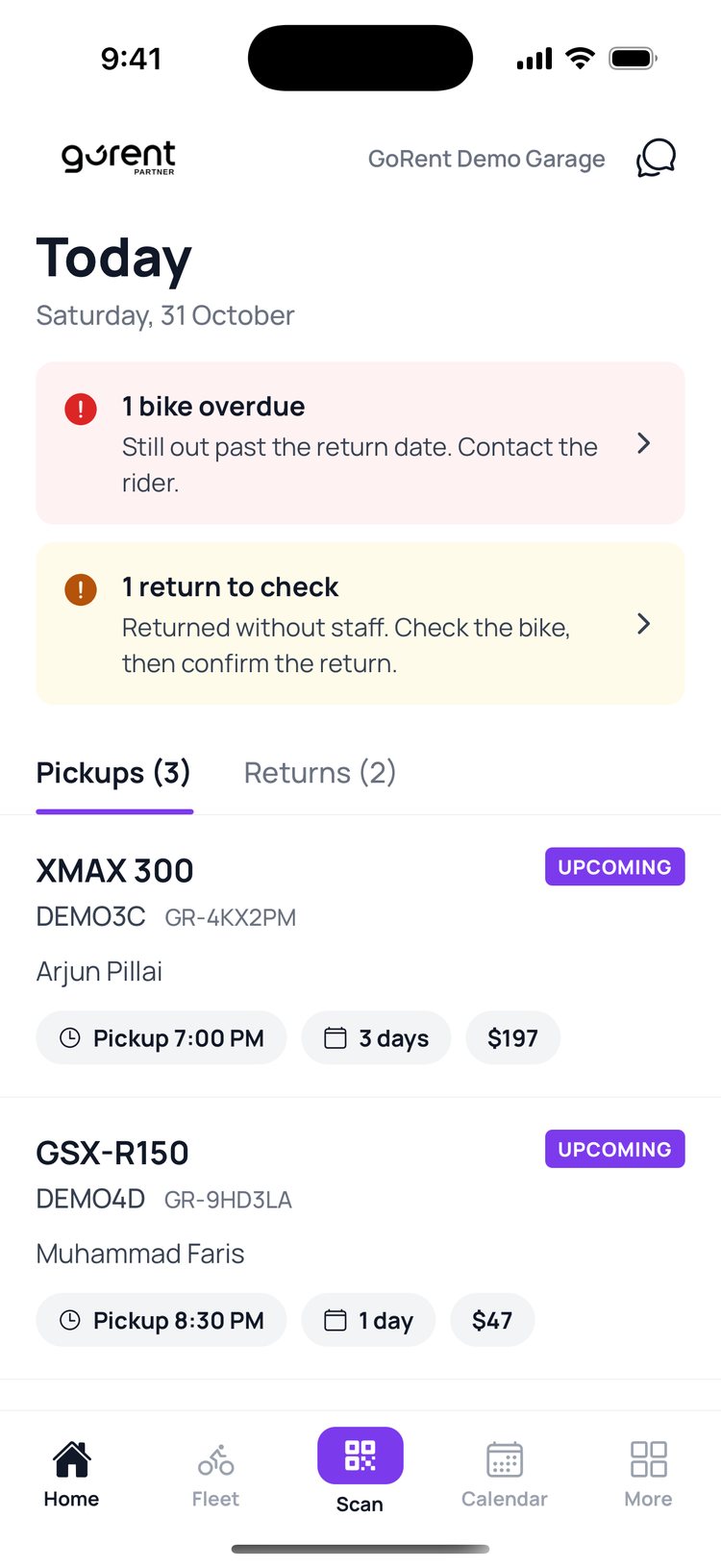
2. When the rider shows their return QR, tap ‘Scan’ and point your camera at it.
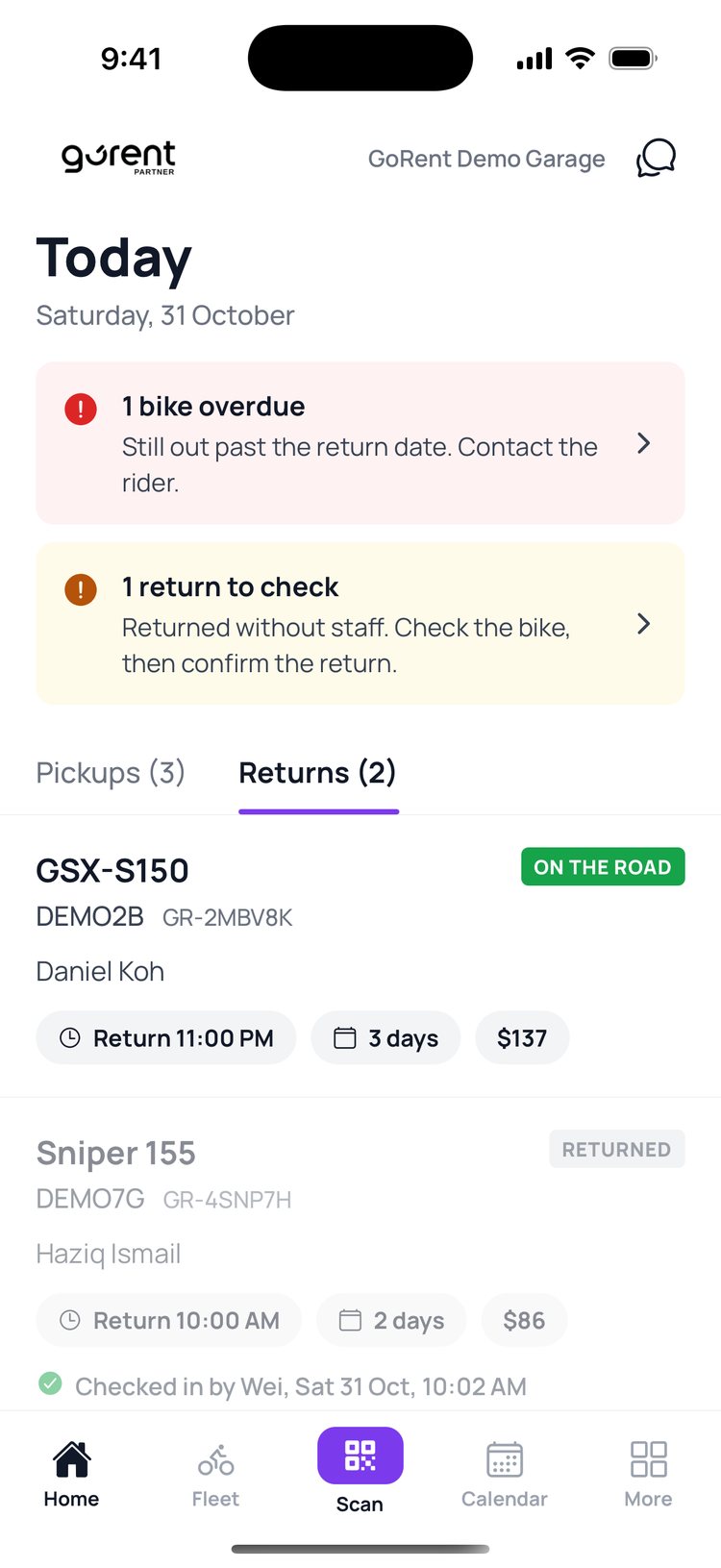
3. Compare the bike with the rider’s photos. Tick the deposit once you’ve handed it back, then tap ‘Confirm return’.
4. Done! The booking shows who checked the bike in, and when.

Returns with nobody at the counter
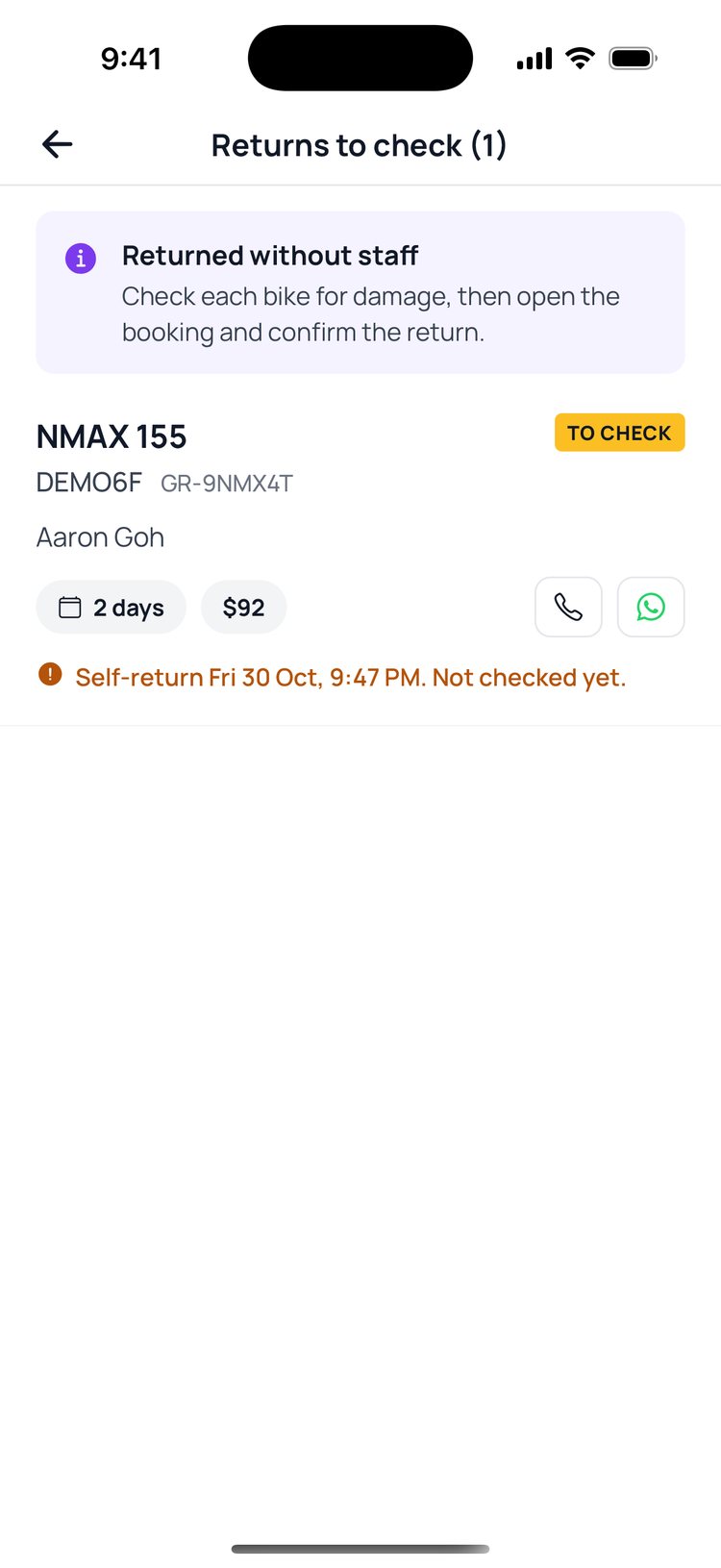
1. On ‘Home’, tap the yellow ‘return to check’ banner.
2. Tap the bike that was left.
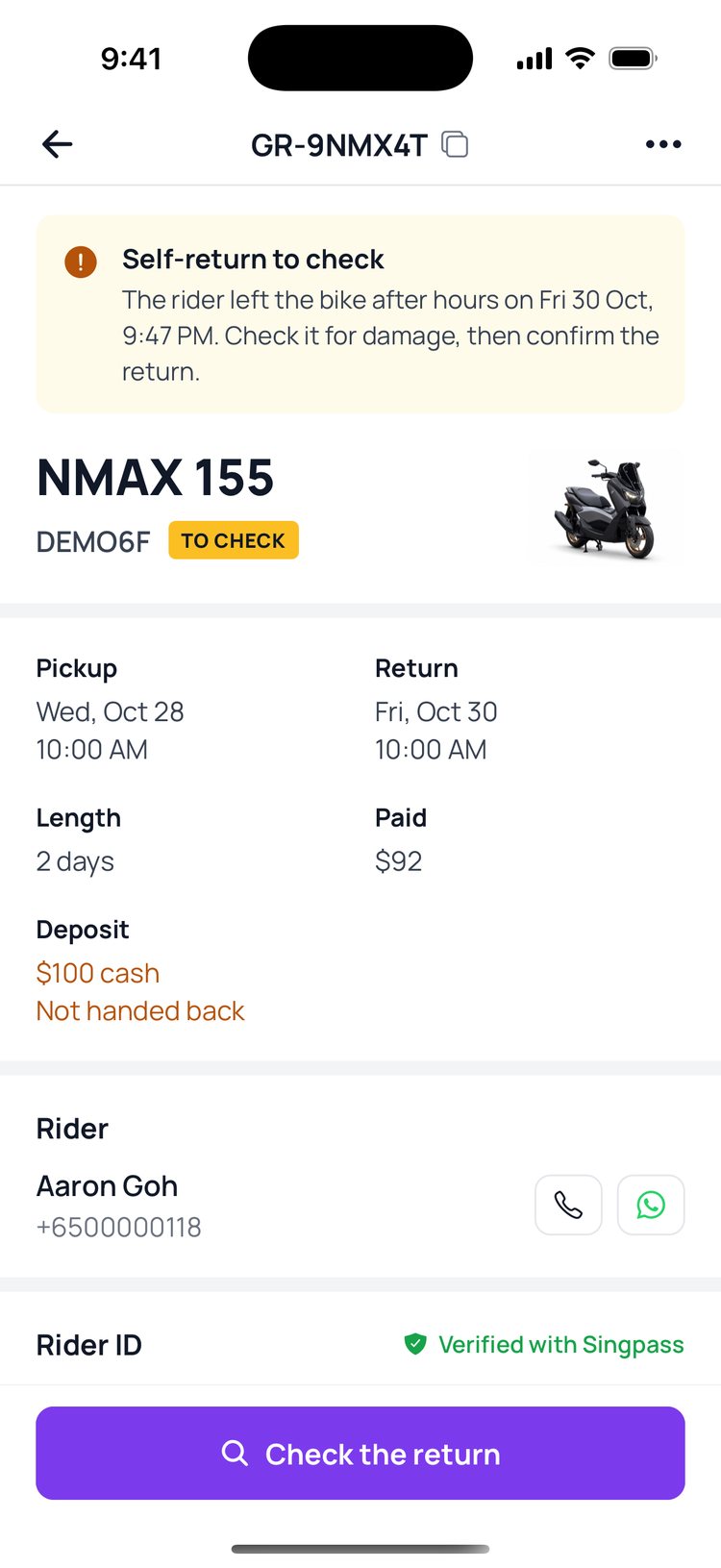
3. Look the bike over, then tap ‘Check the return’.
4. Add photos of any damage and a note if you like, then tap ‘Confirm return’.
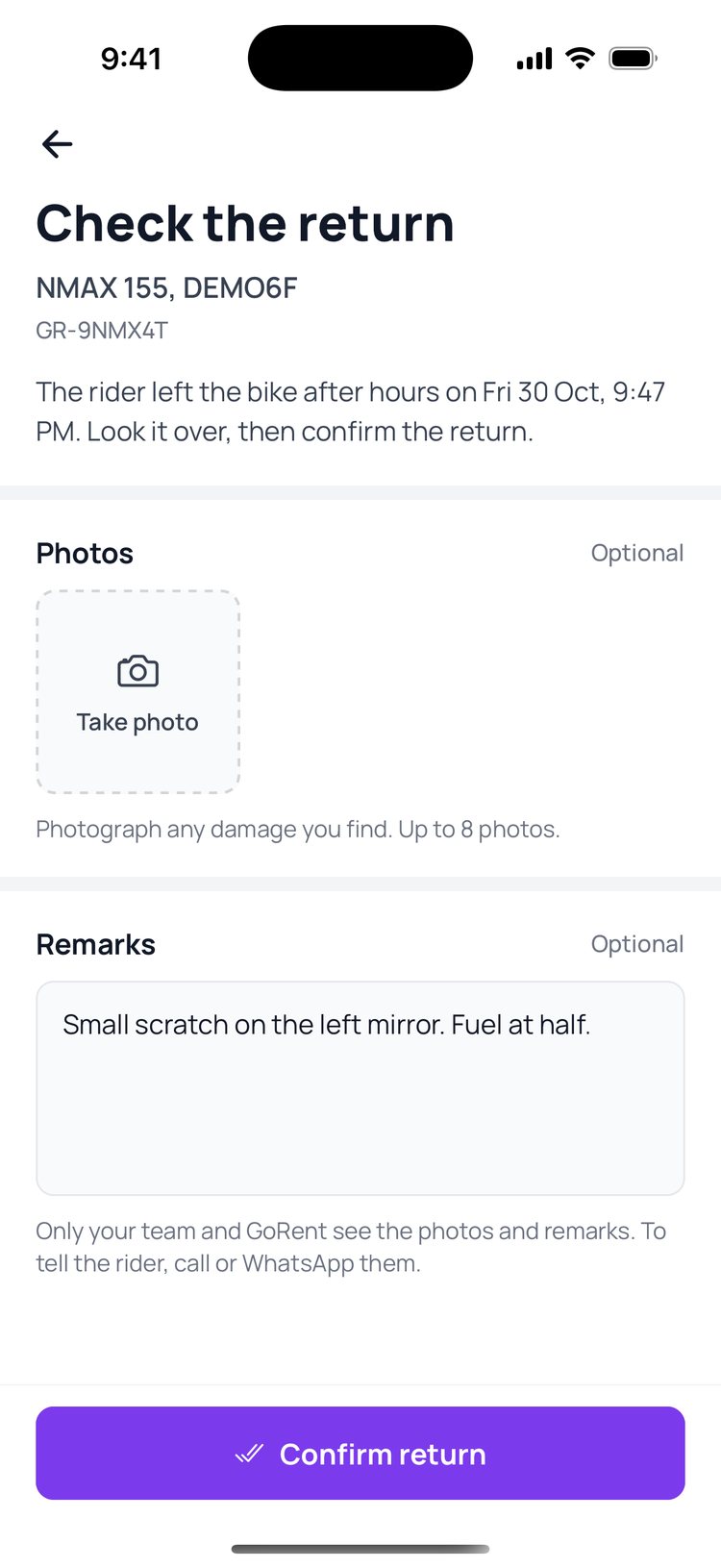
A bike left after hours stays under ‘To check’ on Home until someone confirms it, so nothing slips through.
Still stuck? Message us on WhatsApp.
Questions
The rider’s return QR won’t show
The code appears once the rider has finished the return steps in their app: the checklist, the odometer photo and the bike photos. Ask them to finish those first.
I found a scratch or a dent
Write it under ‘Damage check’ on the return check before you confirm. The rider sees this note. If it needs more than a note, message us on WhatsApp.
The rider is late. Can I charge a late fee?
Yes. When a return is late, the return check shows a ‘Late fee’ box with an amount from your late policy, which you can change. The rider can pay by PayNow QR, you can take it out of the deposit, or you can waive it.
Who sees the photos and notes on a return with nobody at the counter?
Only your team and GoRent. To tell the rider about anything you found, call or WhatsApp them from the booking.