Payouts

Partner app
Payouts and statements
See every payout Stripe has sent to your bank, which bookings it covers, and open a statement for your records.
How it works:
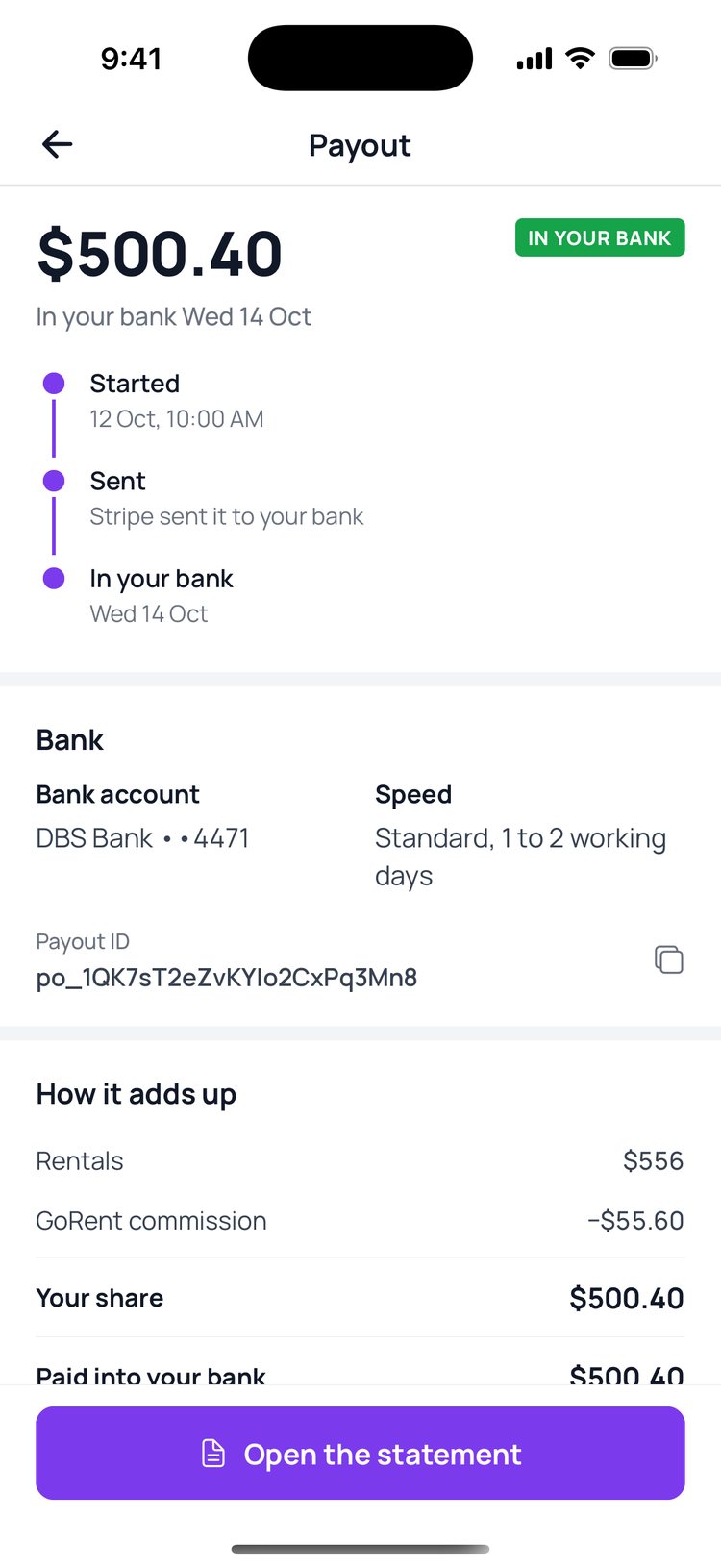
Stripe pays your share into the bank account your shop set up. Each payout shows when it was sent, when it reached your bank, how it adds up, and every booking in it, so you can match it against your bank statement.
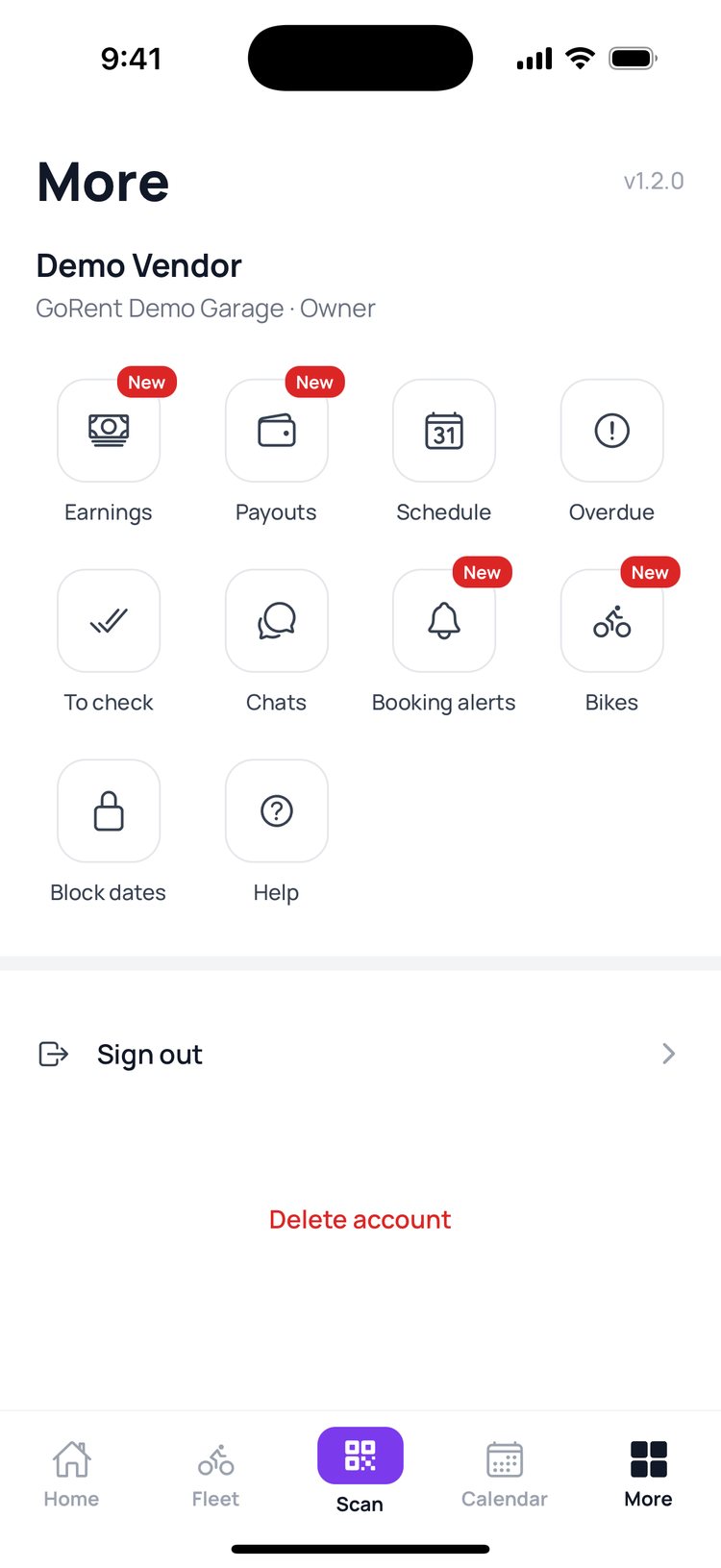
1. Tap ‘More’, then ‘Payouts’.
2. Your payouts, newest first. Tap one to open it.
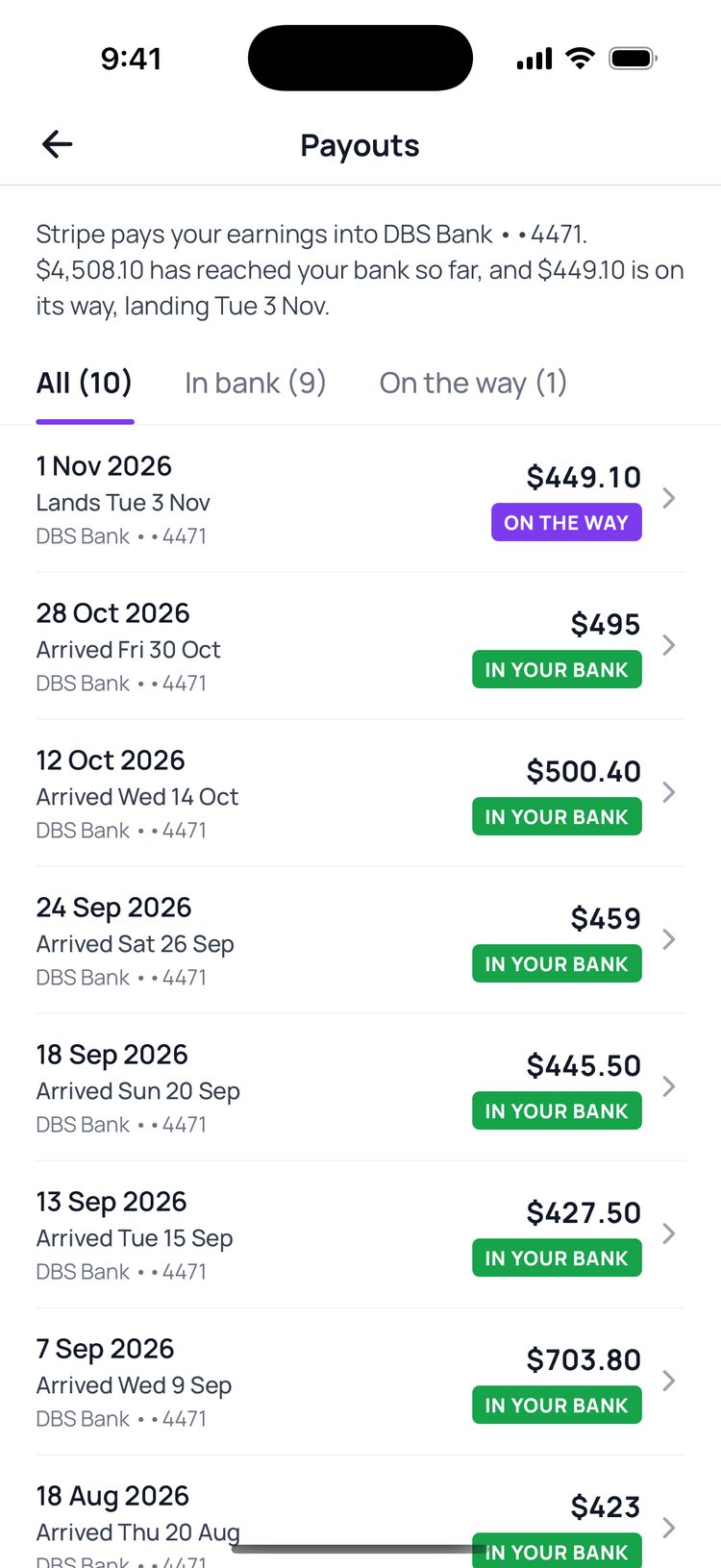
3. See when it was sent and when it reached your bank.
4. ‘How it adds up’ shows your rentals, GoRent’s commission and each booking in the payout.
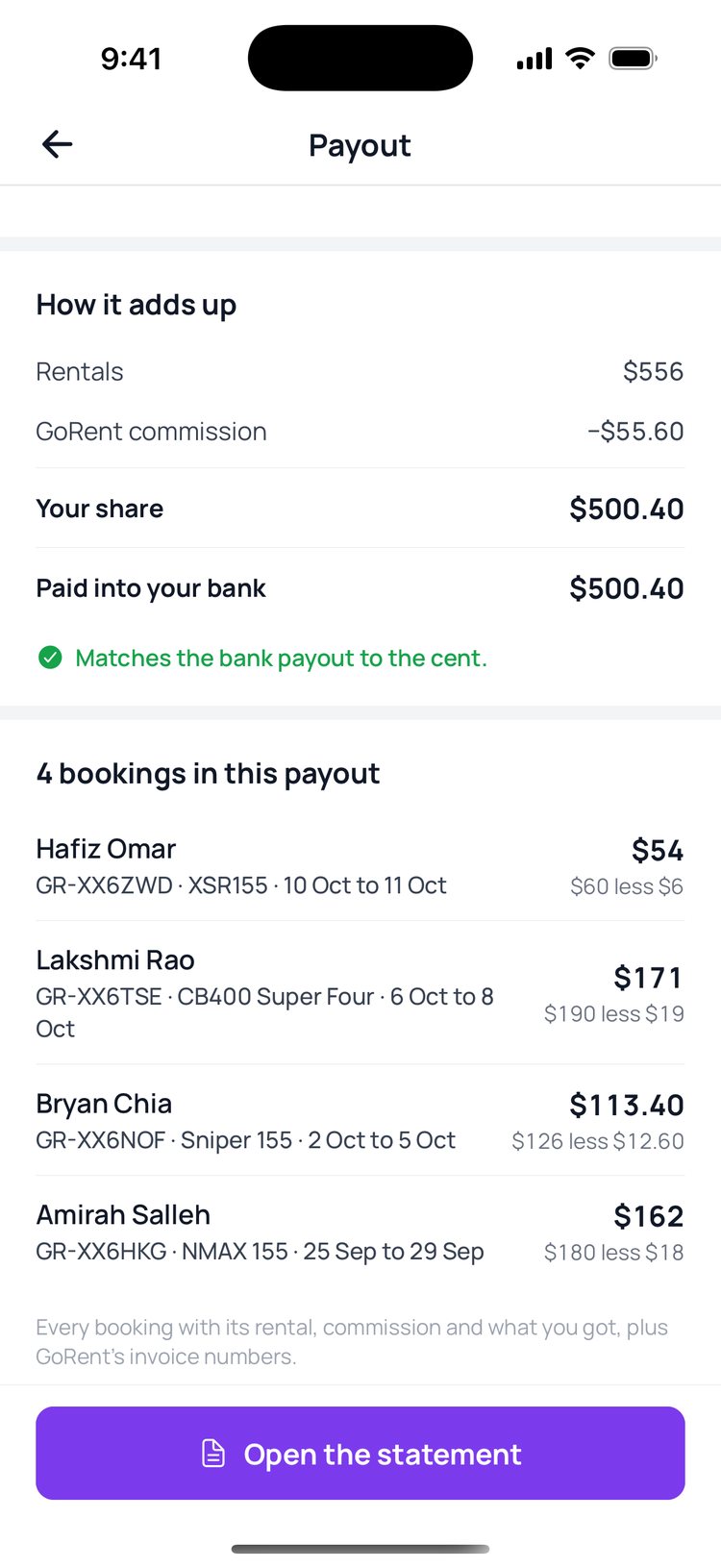
5. Tap ‘Open the statement’ for a PDF you can save or send to your accountant.

Still stuck? Message us on WhatsApp.
Questions
A payout says ‘On the way’. When will it arrive?
The payout shows the day it should land. Standard payouts usually take 1 to 2 working days to reach your bank.
Why is a payout less than my bookings?
GoRent’s commission comes off each booking, and ‘Other items’ such as a refund to a rider can come off too. ‘How it adds up’ shows every line.
What does ‘Matches the bank payout to the cent’ mean?
The bookings and items listed add up to exactly what Stripe sent to your bank.
I don’t see any payouts
Payouts start once your shop has set up Stripe in the vendor portal and its first rentals have been paid out.